What is the Blacklist and How Does It Work?
Last updated: September 23, 2026
If you've ever wondered how the blacklist feature works in Buzz, this guide will help you understand its purpose and how it can maximize your campaign efficiency by automatically filtering out unwanted prospects.
What is the Blacklist and Where Can You Find It?
The Blacklist feature allows you to preemptively exclude unwanted prospects from being added to your campaigns. This saves you time and effort by reducing the need for manual filtering.
You can access Blacklist settings by navigating to the Settings tab and selecting Blacklist from the menu.
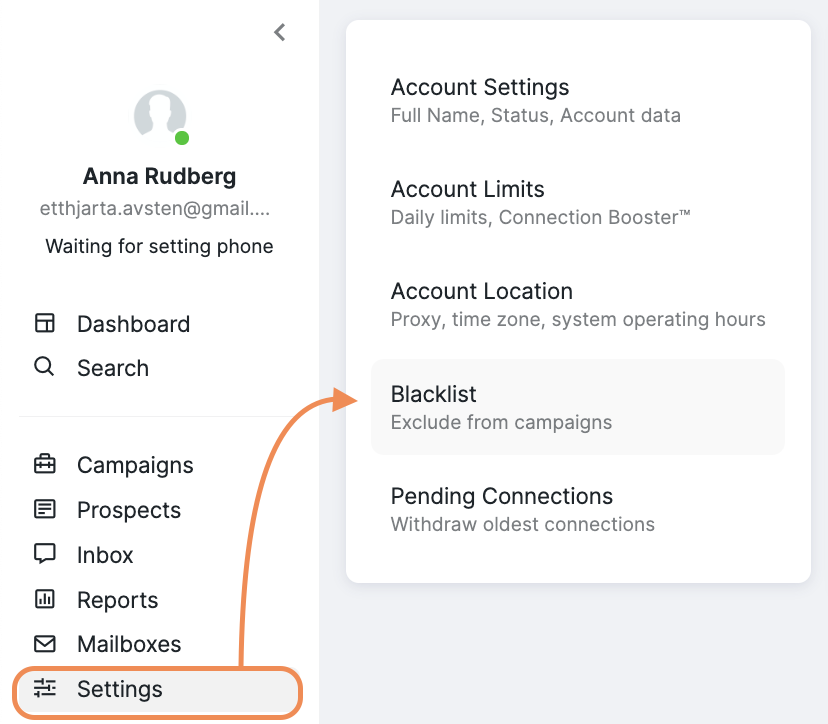
By setting up your blacklist criteria in advance, you can ensure that only the most relevant prospects make it into your campaigns, keeping your outreach focused and efficient.
Critical warning: When you upload prospects via CSV directly to a campaign, active blacklist rules automatically exclude any prospects that match your blacklist criteria. These prospects are moved to Excluded status and do not appear in your campaign, which can create confusion and the impression of data loss. This exclusion happens silently, without a clear notification that existing blacklist criteria filtered out the prospects.
CSV Upload Best Practices and Troubleshooting
When uploading CSV files to the Blacklist feature, users often encounter field mapping issues and processing delays that aren't immediately obvious. Here are key considerations to ensure successful uploads:
Field Mapping Guidelines: To ensure proper field mapping during CSV upload, use a sample CSV template when uploading your blacklist data. If you don't have data for certain columns, leave them blank rather than deleting the columns entirely, as removing columns can cause upload errors and incorrect field mapping.