How to Connect AskBuzz MCP to Claude
Last updated: August 21, 2026
Connecting AskBuzz MCP to Claude lets you use AskBuzz directly inside your Claude conversations. This means you can ask Claude to access AskBuzz tools, work with your Buzz data, and perform supported actions without switching between platforms.
It’s useful if you want to:
Quickly retrieve information from AskBuzz
Use AskBuzz functions while chatting with Claude
Streamline your workflow in one place
Test available MCP functions and share feedback on what else you’d like to see
Since AskBuzz MCP is not yet available in the Claude marketplace, you’ll need to connect it manually using a custom connector. The setup only takes a few minutes.
1. Open Claude Connectors
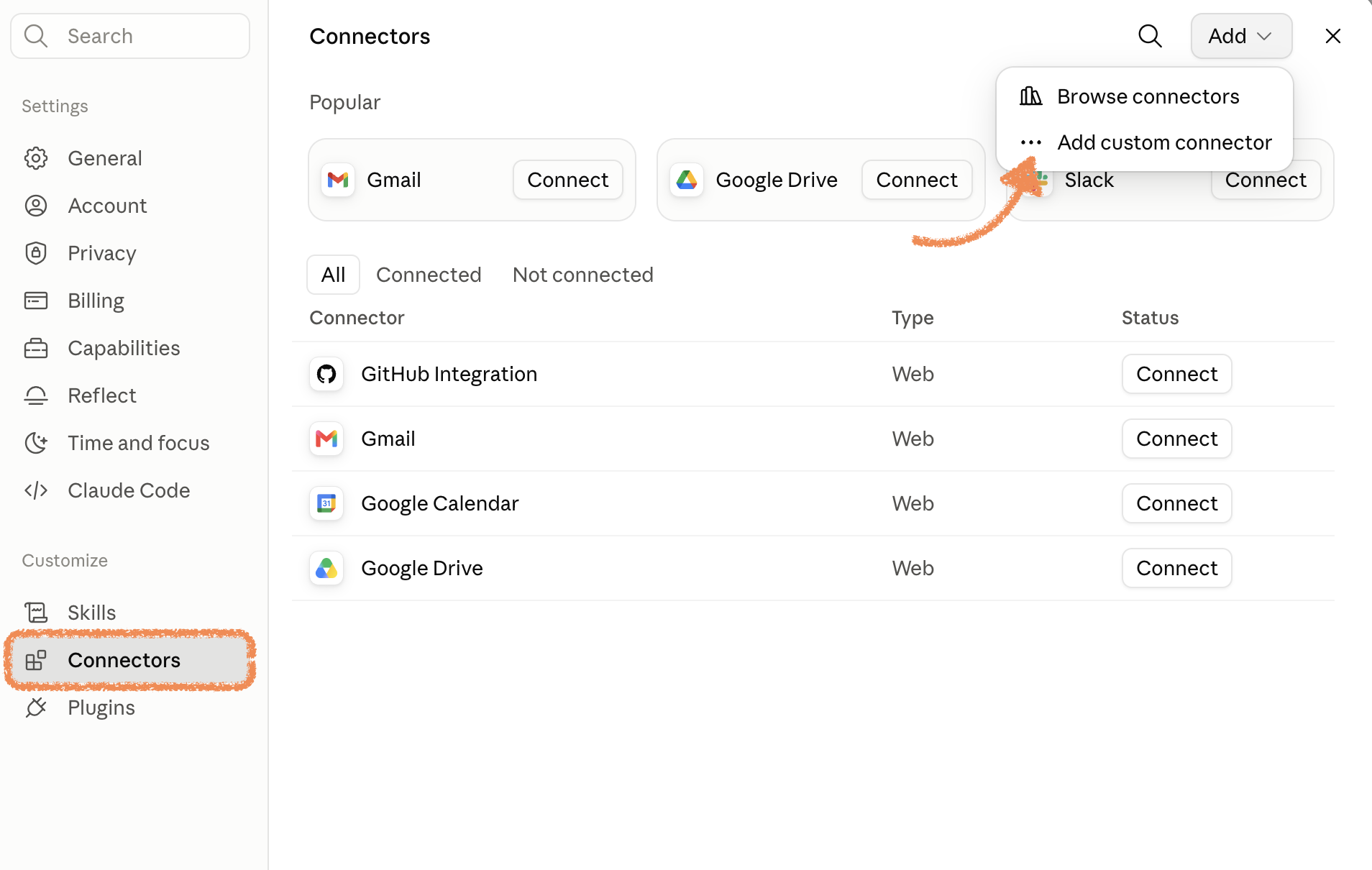
In Claude, go to the connectors section (Settings > Connectors) and browse the available integrations.
If you search for Buzz or AskBuzz, you won’t find it in the marketplace yet.
2. Add a Custom Connector
Since AskBuzz MCP is not listed in the marketplace, select the option to add a Custom Connector (Settings > Connectors > Add custom connector).
You can name the connector anything you like, for example:
Buzz
AskBuzz
AskBuzz MCP
Step 3: Add the MCP URL
Paste the MCP URL ask.buzz.ai/mcp into the connector URL field.
This URL points Claude to the AskBuzz MCP server.
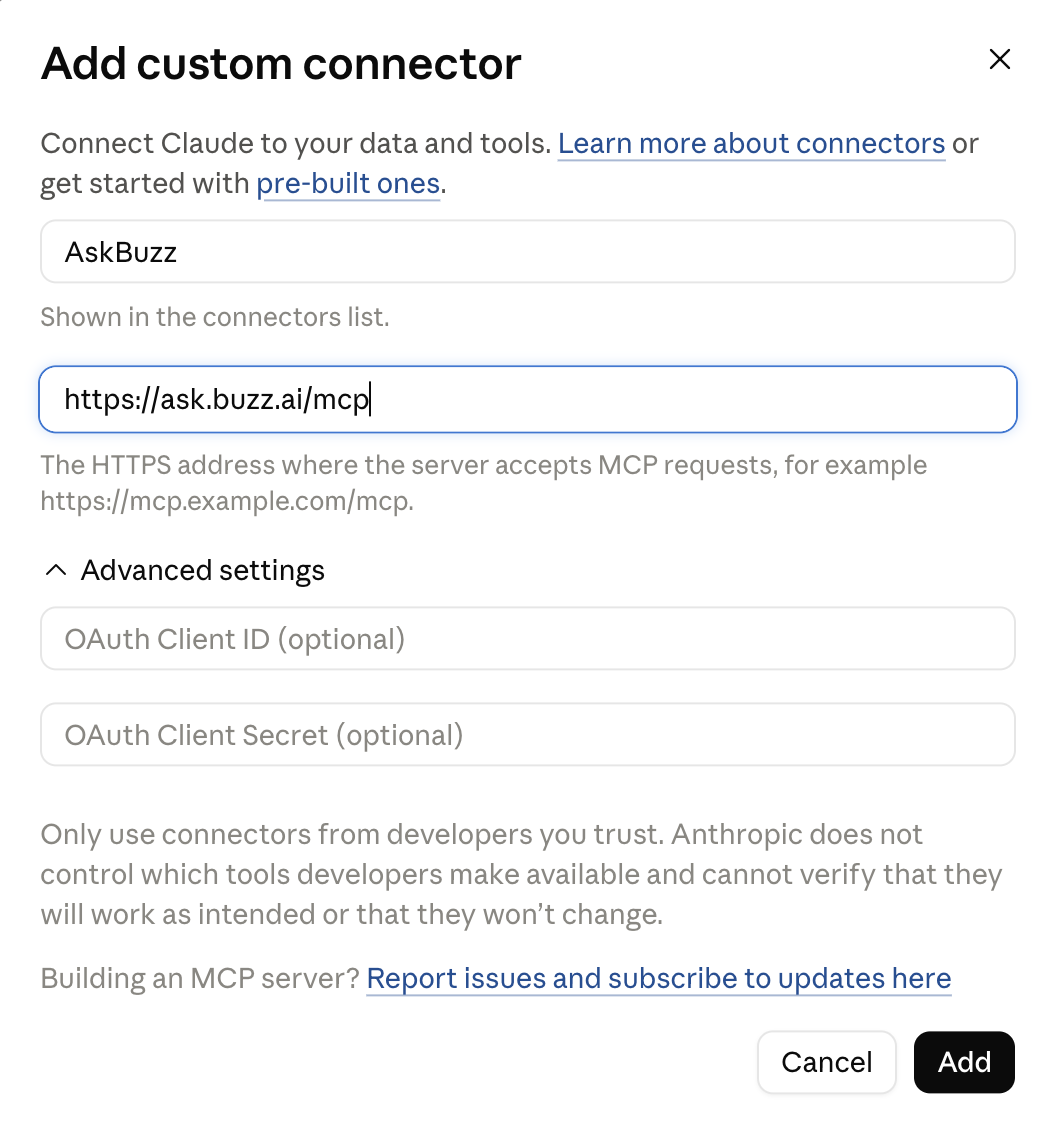
Then click Add or Connect.
4. Authenticate with OAuth
Claude will start the authentication flow.
Click Connect when prompted.
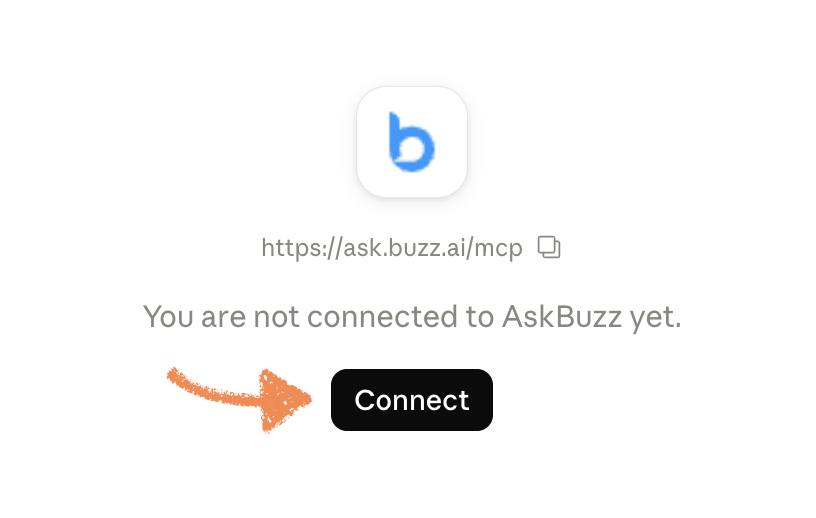
Then click Continue with Buzz.
You’ll be redirected through OAuth to authenticate your AskBuzz account.
Once authentication is complete, the connector will be added successfully.
What can AskBuzz MCP do?
After connecting, you’ll see the available AskBuzz MCP functions under Tool permissions.
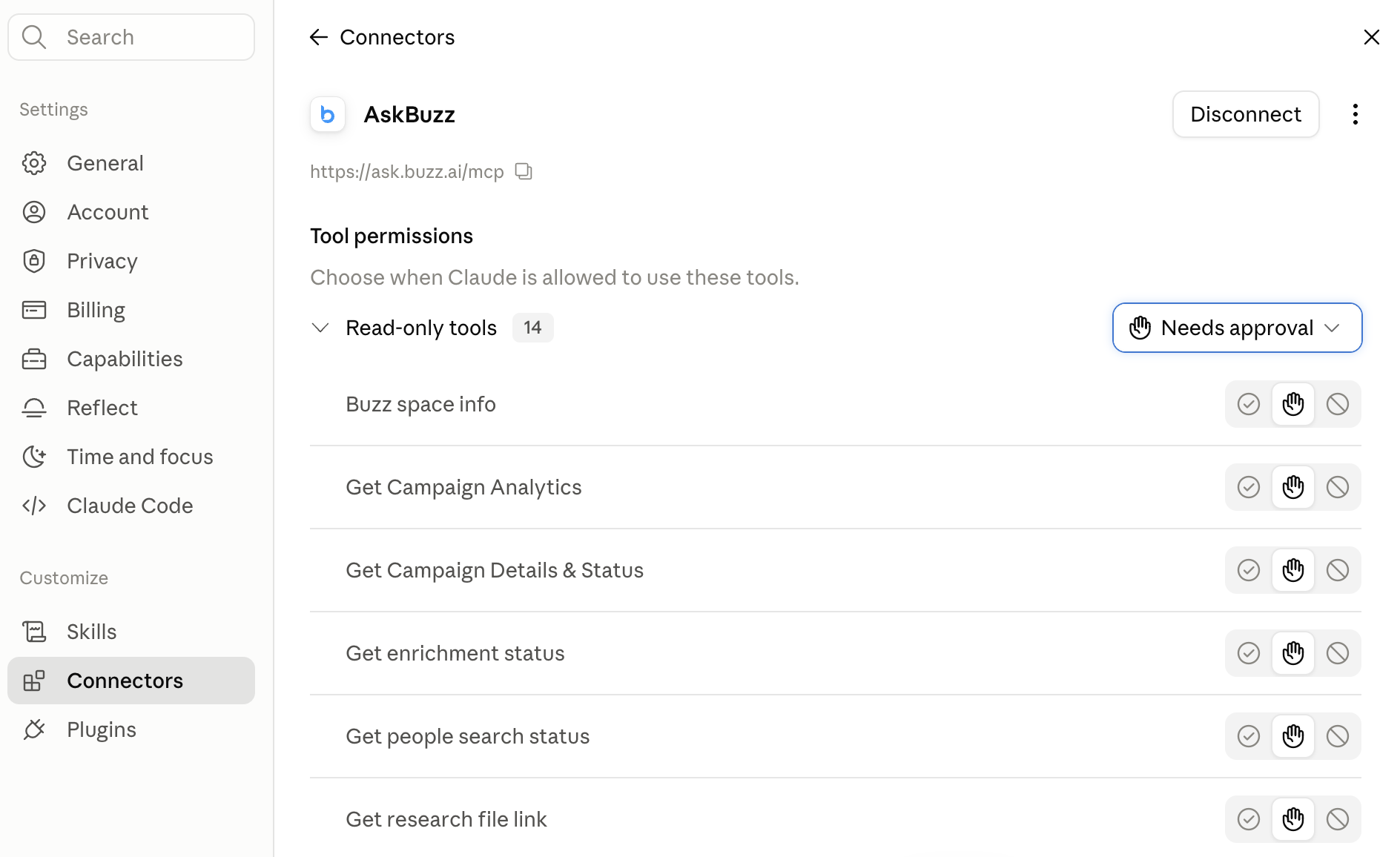
You can enable or disable functions depending on what you want Claude to access.
If you’re not sure, you can leave the default settings enabled.
5. Start Using AskBuzz in Claude
Go back to Claude chat and ask a question using AskBuzz. For example, you can ask Claude to search or interact with your AskBuzz data.
Once connected, Claude should be able to use the AskBuzz MCP functions directly.
Need More Functions or Found an Issue?
AskBuzz MCP is still evolving, so feedback is welcome 💙🤖
If there are additional functions you’d like to see, or if you run into any MCP-related issues, please contact our Customer Support support team.
We’re happy to help and improve the connector based on your feedback.