AskBuzz: Finding & Sourcing Prospects
Last updated: July 13, 2026
Finding high-quality leads on the Social Platform is one of the most powerful things you can do with AskBuzz. This tutorial explains how to define your target segment, review parameters, and execute safe background sourcing runs.
🎯 1. Defining Your Target Profile
To find prospects, simply describe your target buyers to AskBuzz in natural language. For example:
"I want to find freelance Python developers in Spain and Portugal." "Find me 50 VP Sales prospects at B2B SaaS companies in New York." |
The agent will capture and map your raw criteria into a highly detailed, customer-facing structured parameters block inside the response:
Seniority Level: Mid-Level, Senior Function: Engineering, Data Science, AI/ML Development Job Title: Python Developer, AI Engineer, Data Scientist Industry: Software Development, IT Services Company Headcount: 1-10, 11-50, 51-200 Relevant Keywords: Freelance, Upwork, Python, AI, Iberian Peninsula Geography: Spain, Portugal Recently Posted on Social: False Recently Changed Jobs: False |
⚖ 2. The 2-Stage Parameter Alignment Playbook
To ensure complete accuracy and prevent unintended credit billing, AskBuzz operates under a strict 2-Stage Alignment Policy for sourcing:
Stage 1: Align & Review (No Buttons!)
First, AskBuzz compiles your search criteria into a structured, customer-facing table. It displays all the active filters so you can inspect them.
Activity Filters Default to False: By default, filters like
Recently Posted on SocialandRecently Changed Jobsare turned OFF so you get healthy list volumes.Interactive Tweaks: If anything is off, tell AskBuzz:
"Let's remove seniority constraints and change company sizes to 11-50." |
AskBuzz will regenerate the review table with your updated choices. No credits are consumed during Stage 1.
Stage 2: Billing Approval (The Action Button)
Once you confirm that the inputs look perfect (e.g. "looks good" or "go ahead"), AskBuzz transitions to Stage 2. It will:
Calculate a transparent estimate of the conversational credit cost (1.0 credit per contact).
Render a dedicated blue approval button:
Approve Sourcing (50 credits).The Click Requirement: AskBuzz is programmatically blocked from executing a search on text adjustments alone. You must click the HTML button to approve the billing and trigger the search.
📡 3. Background Progress Cards & Cancellations
Because Social profile sourcing takes 1.5–2 seconds per contact, searches for 25 to 50 prospects run as an asynchronous background process so you don't have to wait or get hit with browser timeouts.
The Background Process Flow
Initiation: The moment you click the approval button, AskBuzz registers the search on the backend and displays a glassmorphic progress card in the bottom-right corner of your screen (or top-right if on mobile).
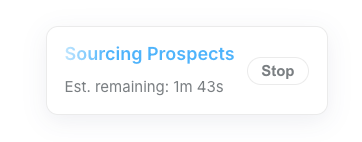
Visual Timer: The card displays a live, pulsing countdown timer (e.g., Est. remaining: 1m 30s).
Keep Chatting: While the scraper runs in the background, you are 100% free to continue talking to AskBuzz about other tasks (such as refining email copy, checking existing campaigns, or planning CRM integrations).
How to Cancel (The Stop Button): If you realize you made a mistake or want to alter criteria mid-run, simply click the red
Stopbutton on the progress card. AskBuzz will instantly issue a terminal cancel signal to cleanly kill the runner on the server, protecting your workspace.
📊 4. Loading Completed Results: Click to View
No Auto-Injection: To prevent cluttering your screen, results do not automatically dump into your chat stream upon completion.
Click to View: Once the background search completes, the card smoothly morphs into a green success badge reading:
Click to see output.Reveal Table: Simply click the card when you are ready! This instantly expands and renders the complete, paginated results table into your active chat window, with options to download as CSV or open in the Research Panel.
Campaign Imports: Once you see the table, the agent will ask: "Would you like me to add these prospects to your '<campaign name>' campaign?" Click or say yes, and they will be imported instantly and programmatically!