Email Warming
Last updated: September 23, 2026
Email Warming is a feature in Buzz that helps you gradually build credibility with email service providers (ESPs) and internet service providers (ISPs) before launching your campaign.
This feature ensures your domain and IP are recognized as trustworthy, significantly lowering the risk of being flagged as spam. With Email Warming, you can expect improved deliverability and more emails reaching the top of your prospects' inboxes.
Email Warming is available through the SMTP protocol and the AI Email Service. These methods work differently: AI Email Service warming is fully automated, while SMTP warming requires manual configuration. Native mail service integrations are planned for a future release.
AI Email Service Warming: Fully Automated
When you create a new AI mailbox, warming activates automatically without any setup. The system manages the warming activity and settings for you.
Automated ramp-up period: Warming runs for 12 days.
Daily volume: After the 12-day ramp-up period, the system can send up to 25 emails per day, and you can set your campaign sending range within that limit.
Generated exchanges: The system creates email exchanges that populate your warming statistics.
No manual configuration: Settings cannot be adjusted.
SMTP warming requires manual activation and configuration. You can set the daily email volume, ramp-up increment, and reply rate according to the recommended values described below. The warm-up duration varies based on your configured settings and mailbox reputation.
Key takeaway: If you use AI Email Service and see warming statistics without adding data or configuring settings, this is normal—the system automatically generates the warming traffic. SMTP users must manually configure all warming parameters.
Monitor your warming statistics to determine when your mailbox is ready for campaigns. AI Email Service mailboxes are ready after the 12-day warm-up period completes; launching campaigns before warming finishes may negatively affect your sender reputation and deliverability.
How to Find Email Warming Settings
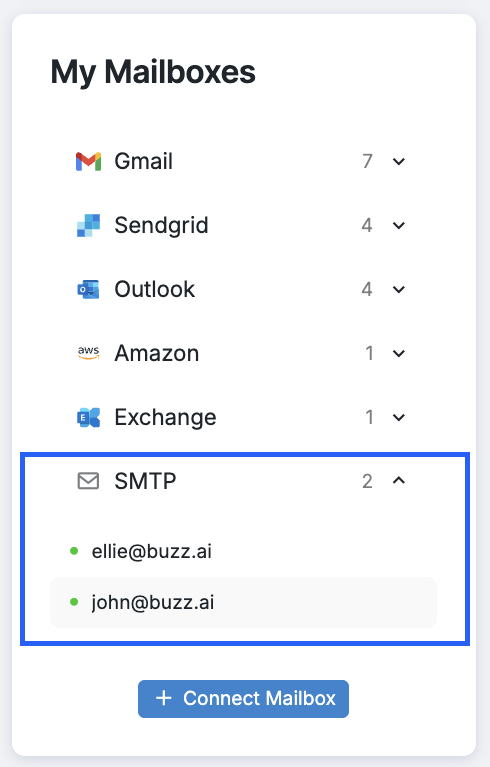
Go to the Mailboxes tab on your dashboard.
Select the SMTP mailbox for which you want to access the warming settings and click on it.
How to Configure your SMTP Warming Settings
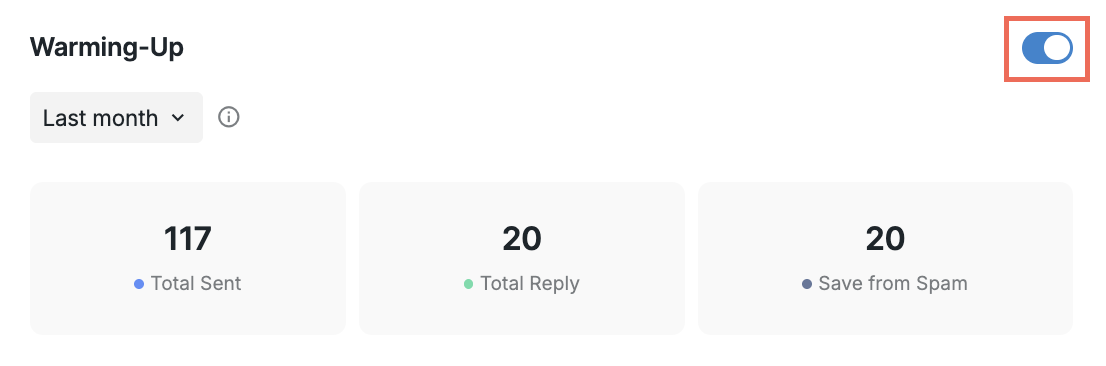
Once you have selected the mailbox to set up email warming, toggle the button to activate the feature.
After activation, you can customize the following parameters:
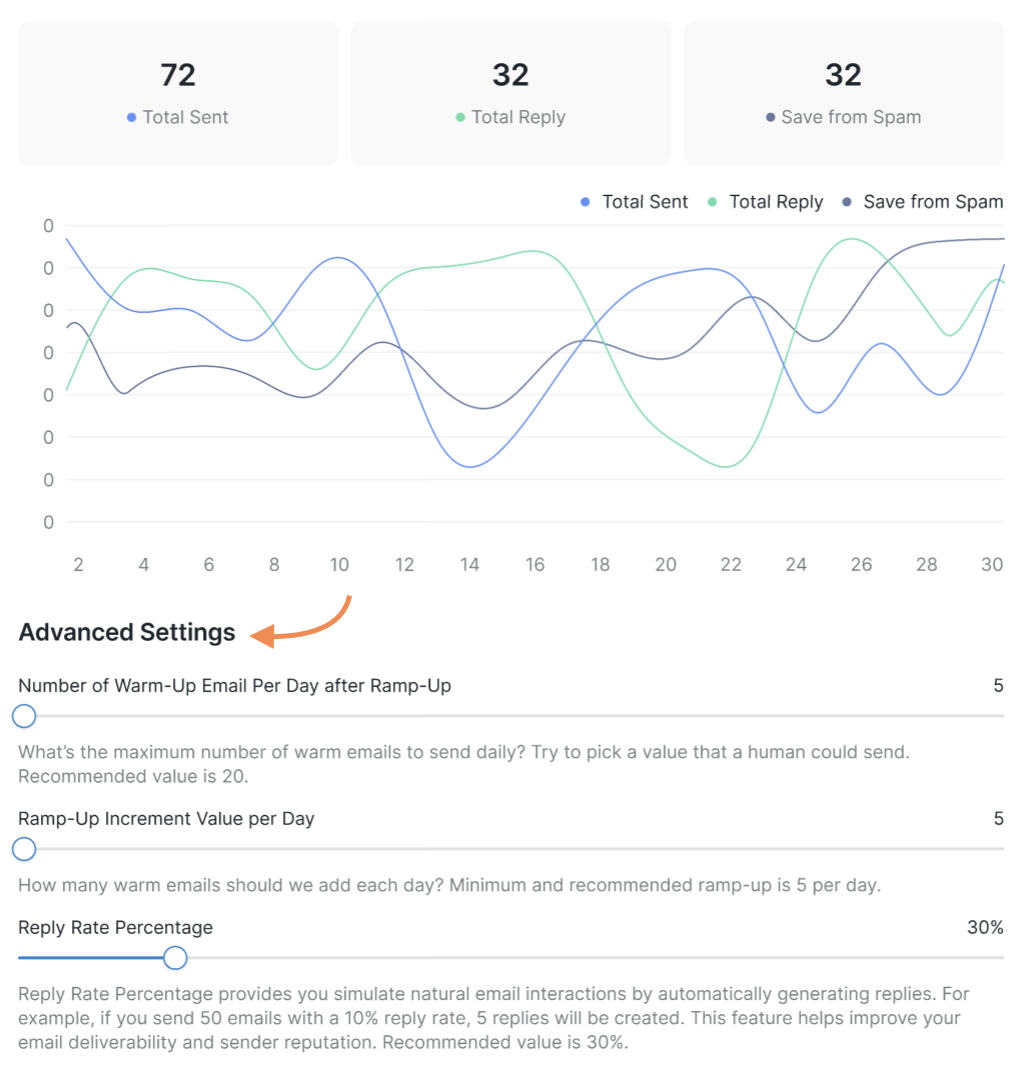
Number of Warm-Up Emails Per Day after Ramp-Up: This is the number of emails the system will send out each day. The recommended value is 20.
Ramp-Up Increment Value per Day: This is the number of emails added each day during the ramp-up phase. The minimum and recommended ramp-up value is 5.
Reply Rate Percentage: This is the percentage of replies you would like to generate from your warm emails. The recommended value is 30.
You can adjust these settings by using the toggle as needed.
Warming Statistics
You can view the performance statistics for your email warming. Hover over the graph to select a specific date or check the overall statistics for a chosen time period above the graph.
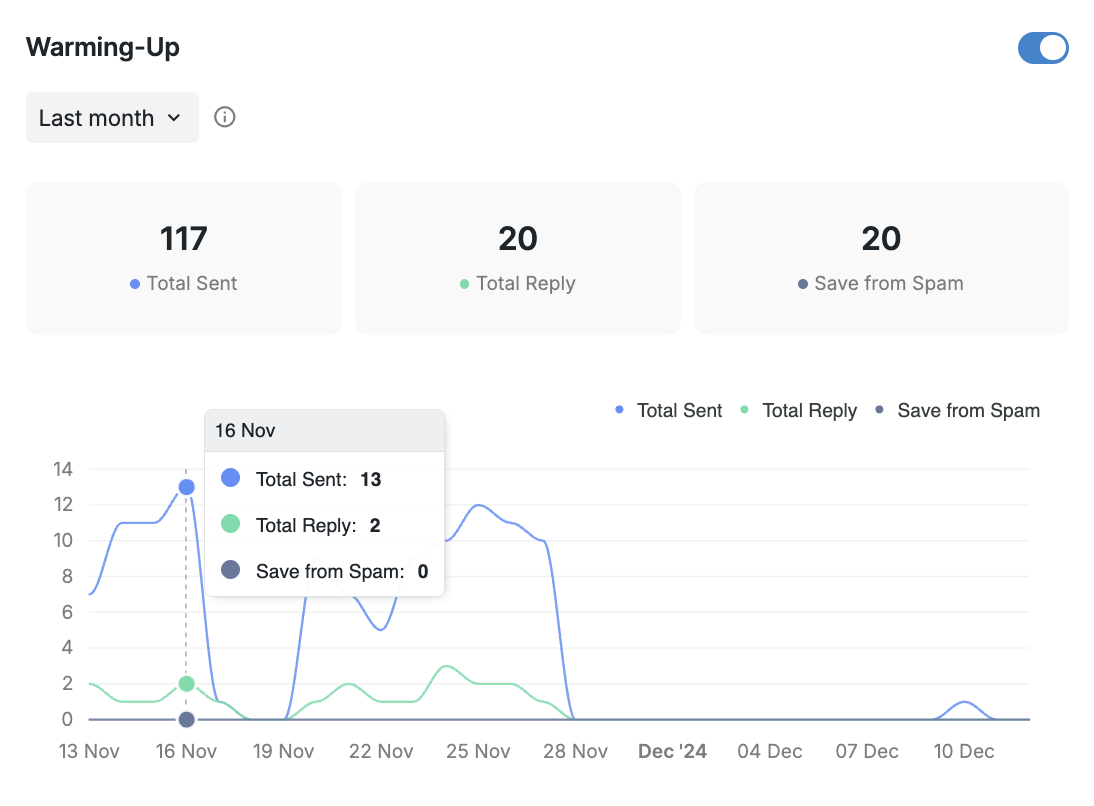
You can adjust the time period by clicking this button:
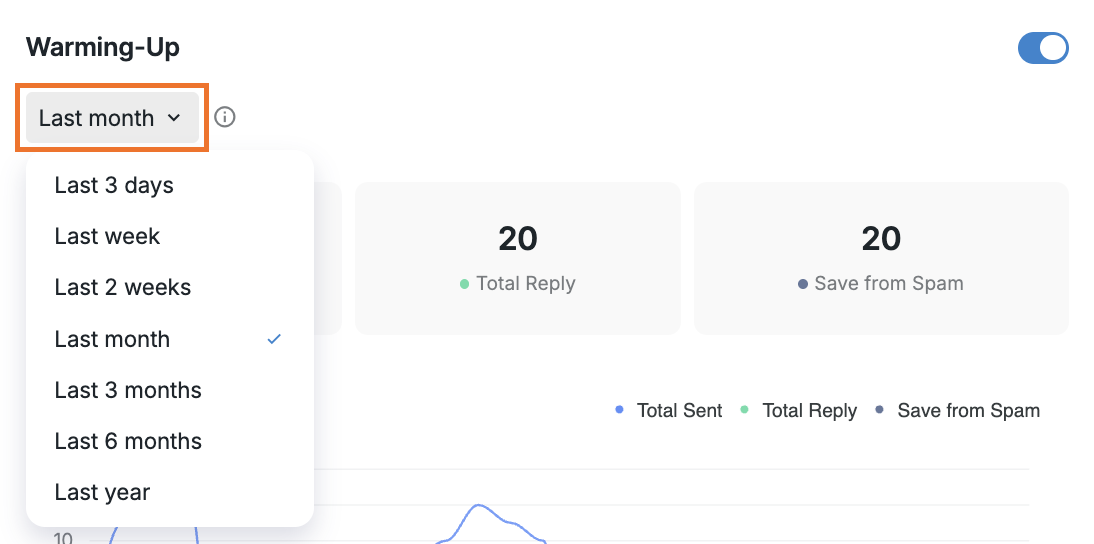
Please note that statistics for the current day are updated the following day.
If you have any questions regarding the Email Warming feature for SMTP-integrated mailboxes, please do not hesitate to contact our Customer Support team.