Why don't my sent emails appear in my Sent folder when using SMTP?
Last updated: May 15, 2026
If you've connected your mailbox via SMTP and noticed that sent emails aren't showing up in your Sent folder, you're not alone — this is a common question, and the short answer is that it's simply how SMTP works.
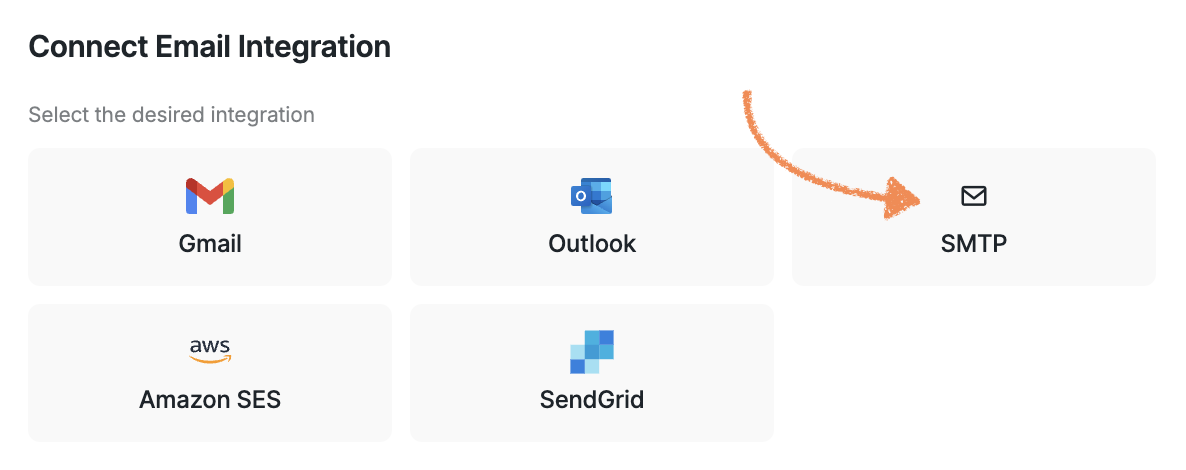
SMTP is a sending-only protocol. It handles getting your email to the recipient, but it doesn't communicate back with your mailbox to log what was sent. Because your mailbox isn't involved in the sending process, it has no way of knowing an email went out.
For sent emails to appear in your Sent folder, your mailbox needs to be connected through a native integration, where your email provider handles both sending and logging through their own system.
Here are your options:
1) Switch to a native integration:
Outlook — Connect your Microsoft Outlook mailbox directly via the Outlook integration. Everything stays within Outlook's ecosystem, and sent emails will appear in your Sent folder automatically.
Gmail — Use Gmail's native integration instead of SMTP for the same seamless syncing experience.
Amazon SES or SendGrid
AI Email Service — Create a mailbox on an AI Domain managed within the platform. No external provider or SMTP setup needed.
2) Stick with SMTP but track inside Buzz: If switching isn't an option right now, all emails sent via SMTP are fully visible and trackable within the platform — you can see exactly what was sent and to whom, just not from your email client.
If seeing emails in your Sent folder is important for your workflow, switching to one of the native integrations is the way to go.