How to Send a Calendly Link to a Prospect via Inbox
Last updated: January 23, 2026
Once Calendly is connected, you can offer a time to meet without breaking the flow of the conversation. No tab switching, no hunting for links, no “I’ll send that in a second” — you can insert a booking link right inside your Buzz Inbox, so prospects can pick a time immediately while they’re engaged.
How to insert a meeting link
Go to Inbox in Buzz.
Open the conversation with the prospect.
Click the calendar icon at the bottom of the message field.
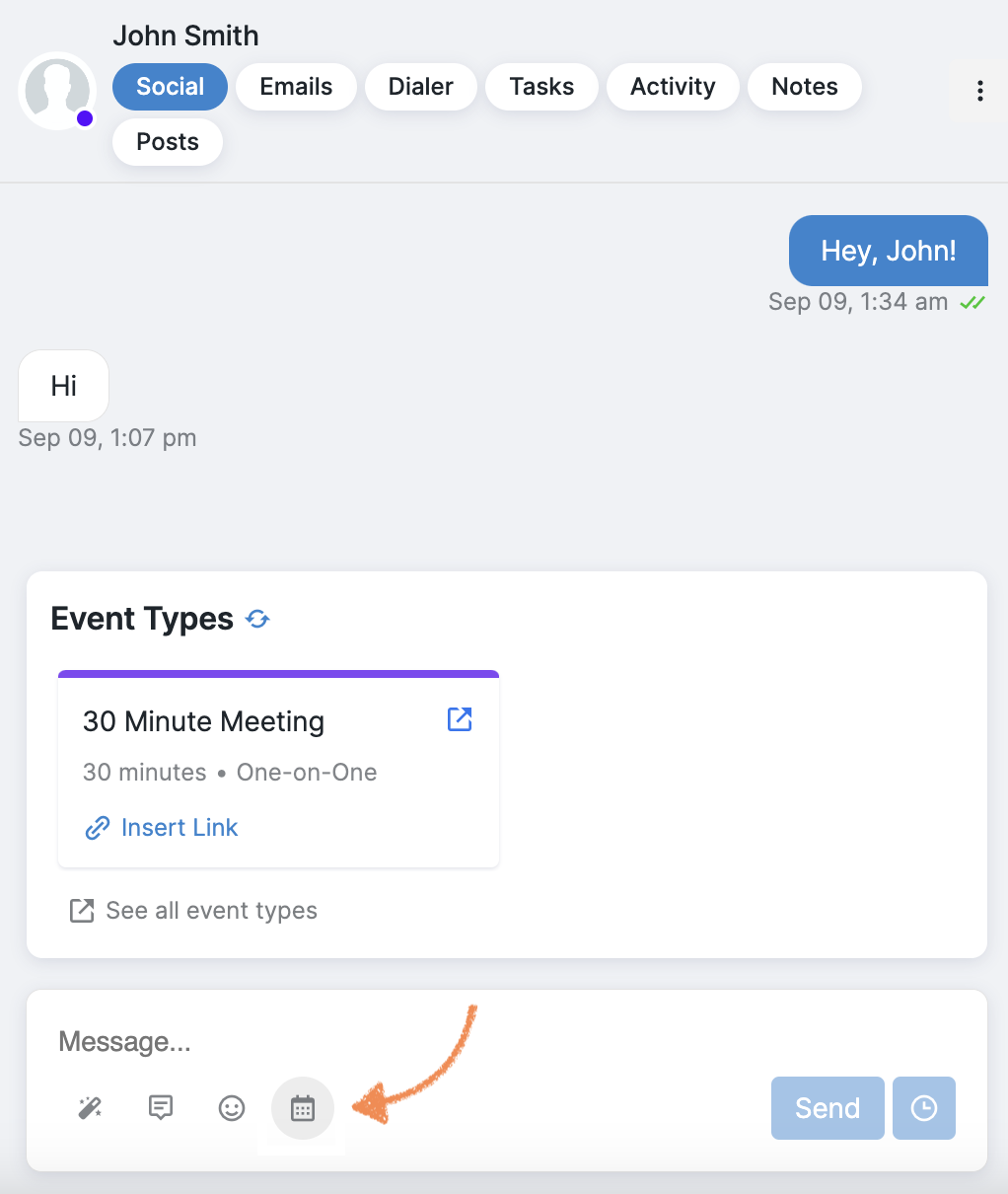
Select the event type you want to offer.
Click Insert Link, then send your message.
Need help? If you don’t see the calendar icon or your event types aren’t showing, reach out to Buzz Customer Support.