Lead & Pending & Excluded Status
Last updated: September 23, 2026
These statuses help you organize prospects by their qualification level or identify when an action cannot be completed.
The statuses under this category are LEAD, CUSTOMER, and EXCLUDED.
If no specific status is assigned, it defaults to None (empty).
You can assign custom tags such as Lead or Customer. To do this, navigate to your Inbox, click on a prospect, and select Mark as Lead in the right-hand sidebar.

After that, the Mark as Customer button will appear in the interface, and you can use it if needed.
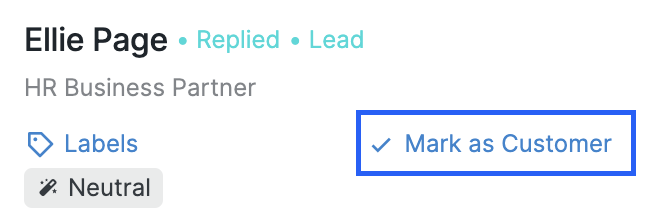
Note that you can't remove these two tags altogether. However, you can click the three-dot button in the top-right corner of your prospect's chat and click "Not interested".

This group also includes the EXCLUDED status, which applies when a prospect does not appear in results, often due to Blacklist restrictions.
Prospects in these statuses will be shown when the appropriate filters are applied.
Pending Status
When an action cannot be executed for a prospect, they are assigned a Pending state due to a specific Stuck reason.
A high volume of prospects in Pending status typically indicates that your target audience is either inactive or not sufficiently engaged. Keeping too many outstanding invitations can reduce campaign efficiency and may lead to temporary restrictions on sending new invitations if a large number of requests remain unanswered for an extended period.
You can find out more about various types of Stuck reasons here.
To view prospects in this state, simply select Pending and click Apply filters.
