Campaign Settings: Connection Request Limit & Premium Social Accounts Only
Last updated: September 23, 2026
Fine-tuning who receives your outreach and how many connection requests go out each day helps you maintain a balanced, effective campaign. These two settings give you control over your daily limits and let you target only Premium Social users if that's part of your strategy.
Connection Request Limit
This setting enables you to set a maximum number of connection requests sent out daily from a given campaign.
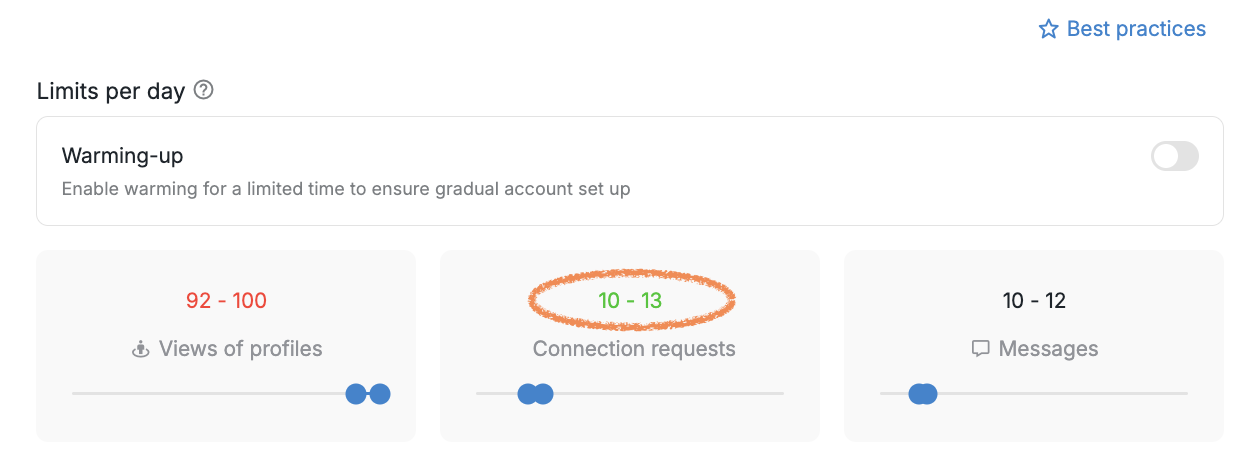
Note: This campaign-level limit works within your account-wide connection request limit. To increase your overall daily quota across all campaigns, you need to adjust the account-level setting at Settings → Account Limits → Connection requests. The campaign limit cannot exceed your account limit.
How limits work across multiple campaigns: When you have multiple campaigns running on the same social account, the total daily connection requests sent equals the sum of all individual campaign limits. For example, if you have three campaigns with limits set to 2, 2, and 1 respectively, your account will send 5 total connection requests per day, assuming prospects are ready in each campaign. To increase your daily volume, either adjust the campaign-level limits upward or ensure campaigns have prospects ready to send.
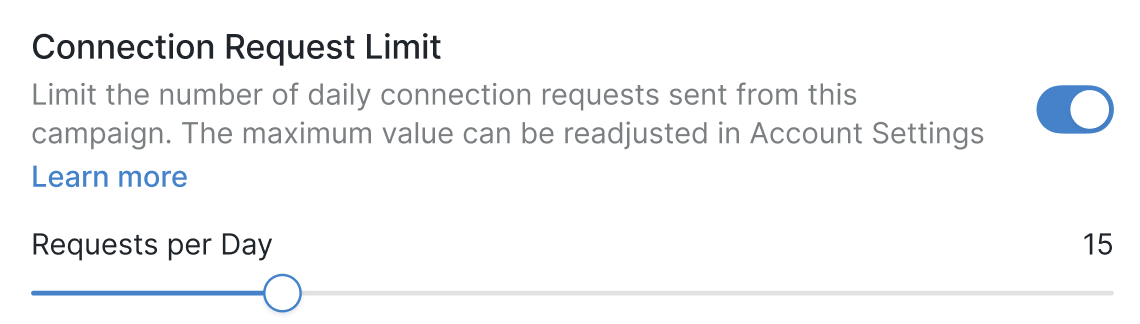
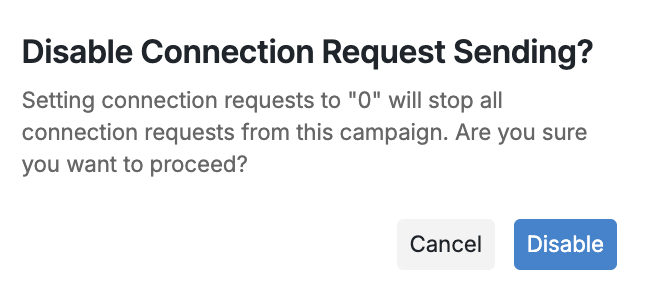
❗ If the setting is toggled on, but the Requests per day value is set to zero, no connections will be sent out from the campaign.
When you first enable the setting, you'll see a set number of connection requests matching the maximum limit you configured in the Account Limits section (Settings → Account Limits → Connection requests). You can adjust this campaign limit up or down, but it cannot exceed your account-wide limit. For detailed guidance on configuring these limits, see Managing Connection Limits: Best Practices.
Premium Social Accounts Only
Activating this setting ensures that campaign steps are exclusively executed for Social users with a Premium subscription.
If the search link or the CSV file contains non-Premium profiles, they will be moved to the Pending status with the notification "Profile is not premium."
