Managing Recordings and Sending Voicemail Drops Manually
Last updated: February 13, 2026
Not every voicemail needs to come as a campaign step. This section shows you where your recordings live and how to send Voicemail Drops directly from a prospect’s profile.
Sending a Voicemail Drop from the Prospect Card
Another way to send a voicemail drop directly to a prospect is through their prospect card (accessible from either the Prospects or Inbox tabs). From there, select Dialer > Voicemail.
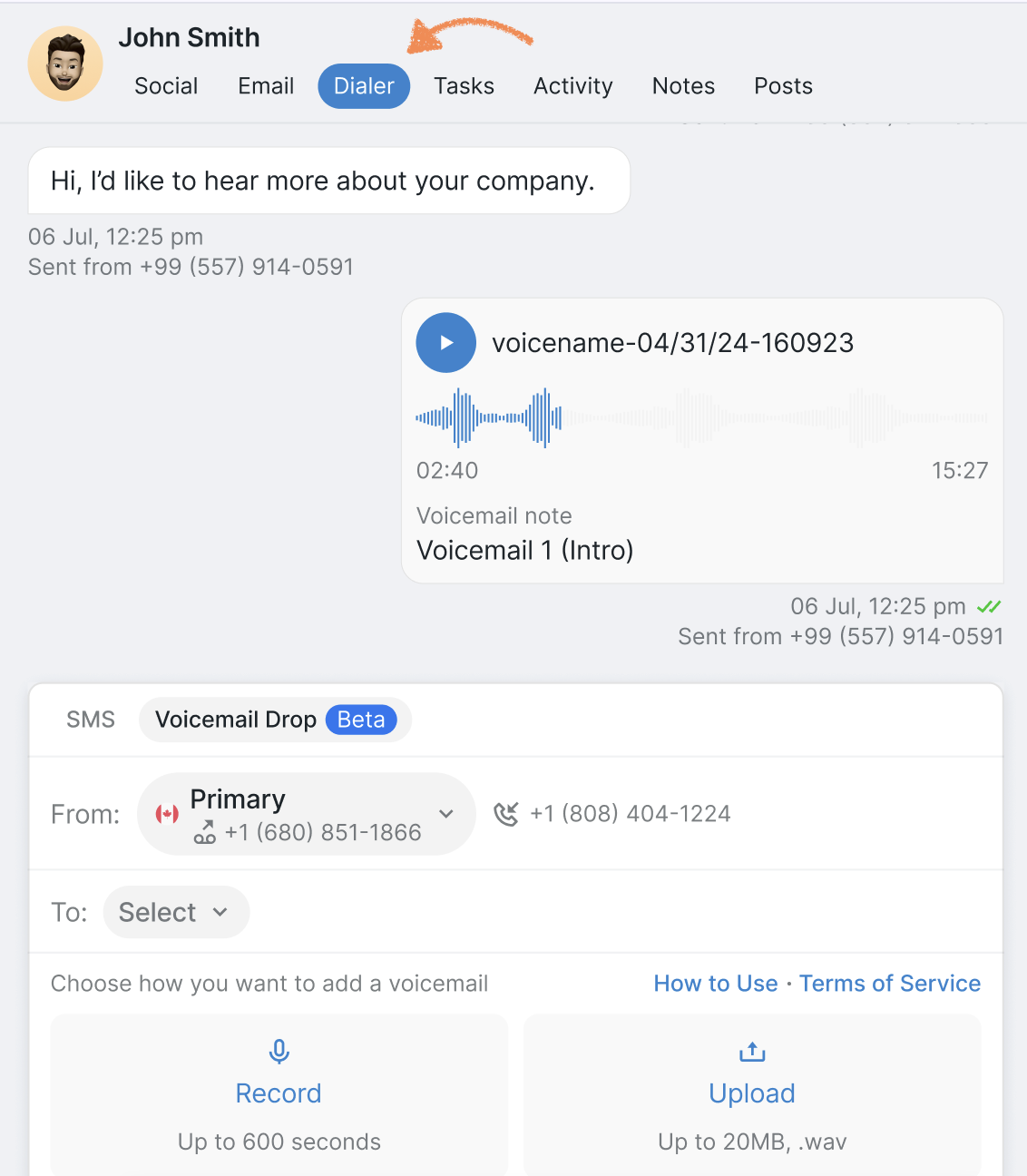
Next, choose from the available numbers (direct or enriched) and follow the same steps as before to either add a prerecorded voicemail or record a new one.