Why Did My Prospect Get Paused?
Last updated: September 23, 2026
Sometimes, while running a campaign, you might notice that one or more prospects suddenly appear with a Paused status. If you’re unsure why this happened, don’t worry — it’s usually due to a common, easily explained reason.
Below are the most frequent causes:
1. You Attempted to Send a Social InMail to Someone You’ve Already Messaged
Social InMails can only be sent to prospects you’ve never contacted before on the platform.
If there’s already a conversation history, the system will automatically pause the prospect instead of sending a new InMail.
Additionally, prospects will be paused with a “Profile is closed” result if you attempt to send an InMail to a closed LinkedIn profile without enabling the “Allow to use my InMail credits” option in your campaign’s Send InMail step. To send InMails to closed profiles, you must enable this setting to grant the system permission to use your InMail credits.
2. Your Social Message Failed to Send
Sometimes messages fail due to temporary issues that might occur on the Social Platform’s side.
If you suspect this happened, feel free to reach out to our Customer Support team — we can help verify the issue.
3. Your Email Failed to Send
Email providers can also experience unexpected glitches that prevent a message from going through.
Contact our Customer Support team, and we’ll be happy to assist in resending or troubleshooting.
4. You’ve Messaged This Prospect Before, but “Recontact Prospects” Was Turned Off
If the Recontact Prospects toggle wasn’t enabled when you set up the campaign, the system won’t re-engage prospects you’ve previously spoken with.
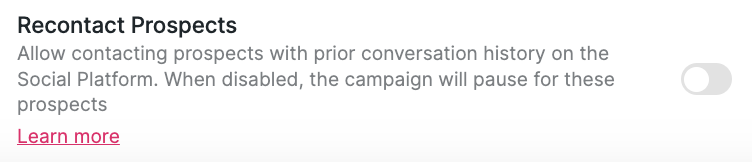
Important: If you enable the “Recontact Prospects” toggle after prospects have already been added to the campaign, the setting won’t apply retroactively to those existing prospects. They will remain paused. To bulk resume them, go to the Prospects tab in your campaign, select all affected prospects with a Paused status, and choose Resume campaign from the bulk action menu. This is especially useful when dozens or more prospects were paused due to the same configuration issue.
In this case, they’ll appear as paused to prevent duplicate outreach.
5. You’ve Messaged This Prospect Before, but “Recontact Prospects” Was Turned Off
If the prospect was transferred to a different campaign — either by you or a teammate — they will be paused in the original one.
When using the "Add Prospects from Existing Campaigns" setting to move prospects between campaigns, they will remain paused after the transfer and need to be manually resumed.
Go to the Prospects tab.
Filter by the destination campaign name.
Select the prospects using the checkbox in the top-left corner.
Click Action → Resume campaign.
6. You Manually Paused the Prospect
It happens! Sometimes prospects are manually paused from their info card or within the campaign, and it’s easy to forget.
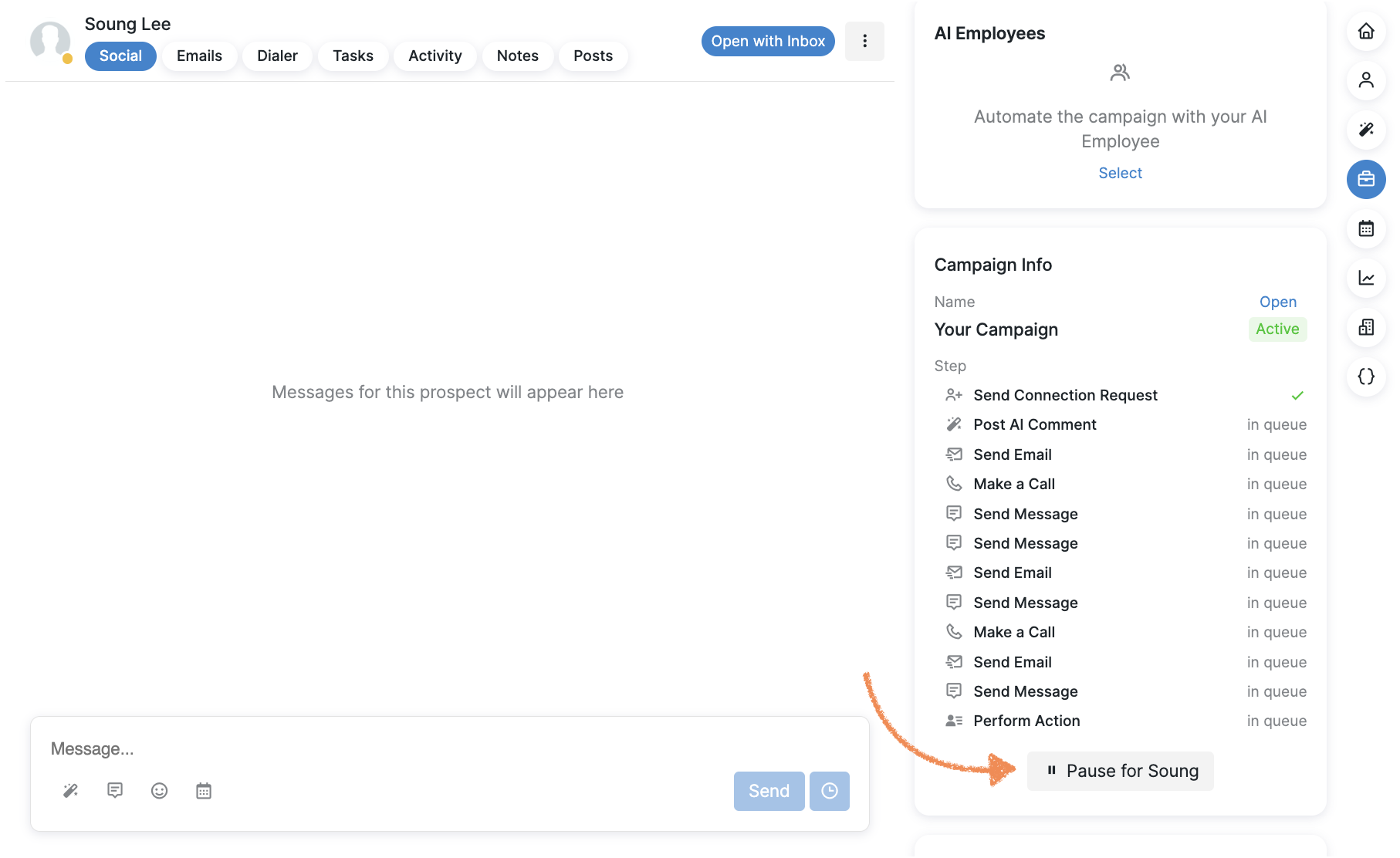
You can manually resume the campaign for this prospect from the info card or right from the Prospects tab by hovering over the Paused status and clicking Resume for [Prospect].
7. You Sent a Manual Message Outside the Campaign
If you send a message to a prospect manually (outside of the campaign flow) — such as sending a direct message on the social platform or an email not triggered by the campaign — the system will automatically pause that prospect in the campaign.
This prevents the campaign from sending automated messages that might conflict with or duplicate your manual outreach.
8. Your Prospect Replied
Any kind of reply — whether on Social or via email — automatically pauses the prospect to prevent further automated messaging without your approval.
Important caveat for AI Employee users: If AI Employees are enabled, the AI may continue responding even after a human takes over the conversation. This means that pausing does not fully prevent further automated messaging in this situation.
In the Inbox, turn off the AI Employee toggle in the right sidebar for that specific conversation.
Turn off the AI toggle within the campaign steps to stop AI-powered messages for all prospects in the campaign.
Configure the AI Employee to require your approval before sending any responses by switching to Manual Approval mode.
9. Your Prospect Booked a Call
If the prospect books a call with you through Calendly, they’ll be marked as paused.
If you’re still unsure why a prospect was paused, our Customer Support team is always happy to help!