Warming Up Your Account
Last updated: August 19, 2026
The Warm-Up mode in Buzz helps protect your account by gradually ramping up outreach activity during the initial setup phase, rather than jumping straight to full volume.
Where to find it
Go to Settings → Account Limits → Limits per day to find the Warm-up mode.
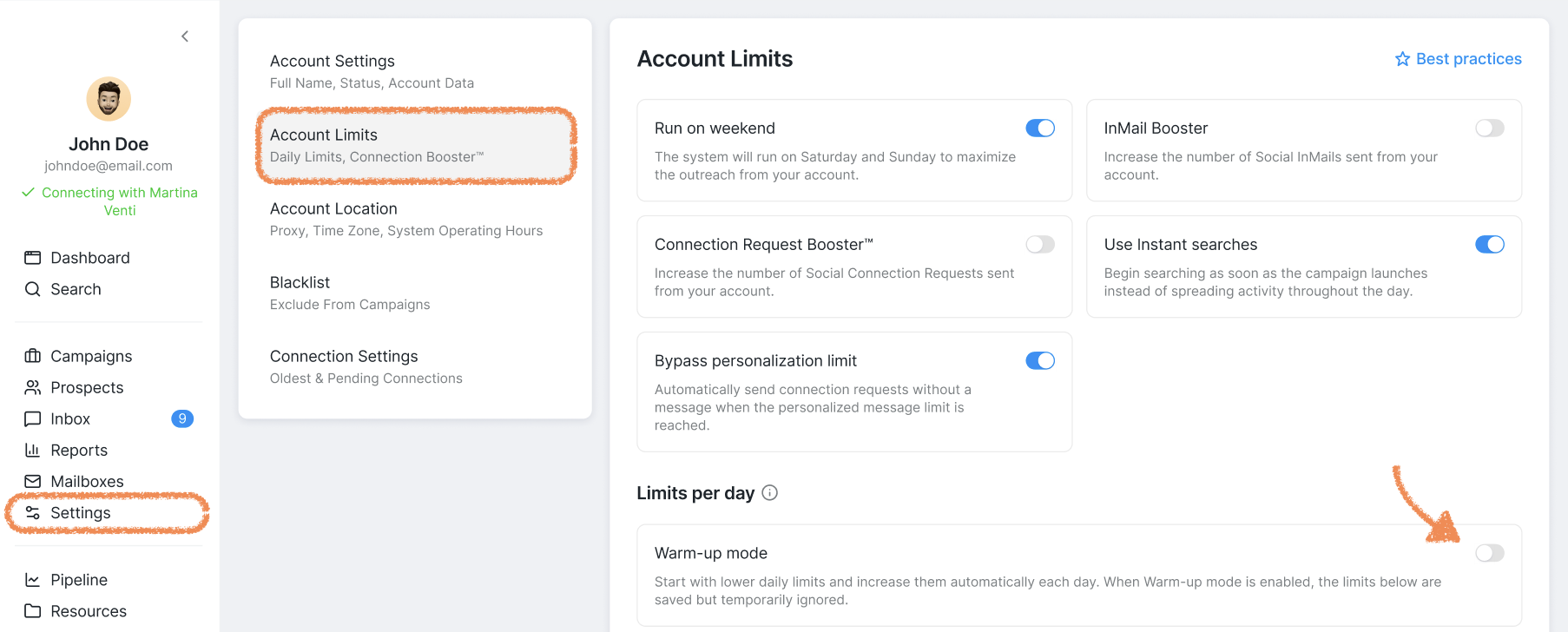
Once enabled, you can configure:
The starting and maximum number of steps and actions performed per day
Daily increase — how many more steps are added each day
The system gradually scales activity from the starting limit up to the maximum. Once the maximum is reached, it stays there and won't increase further.
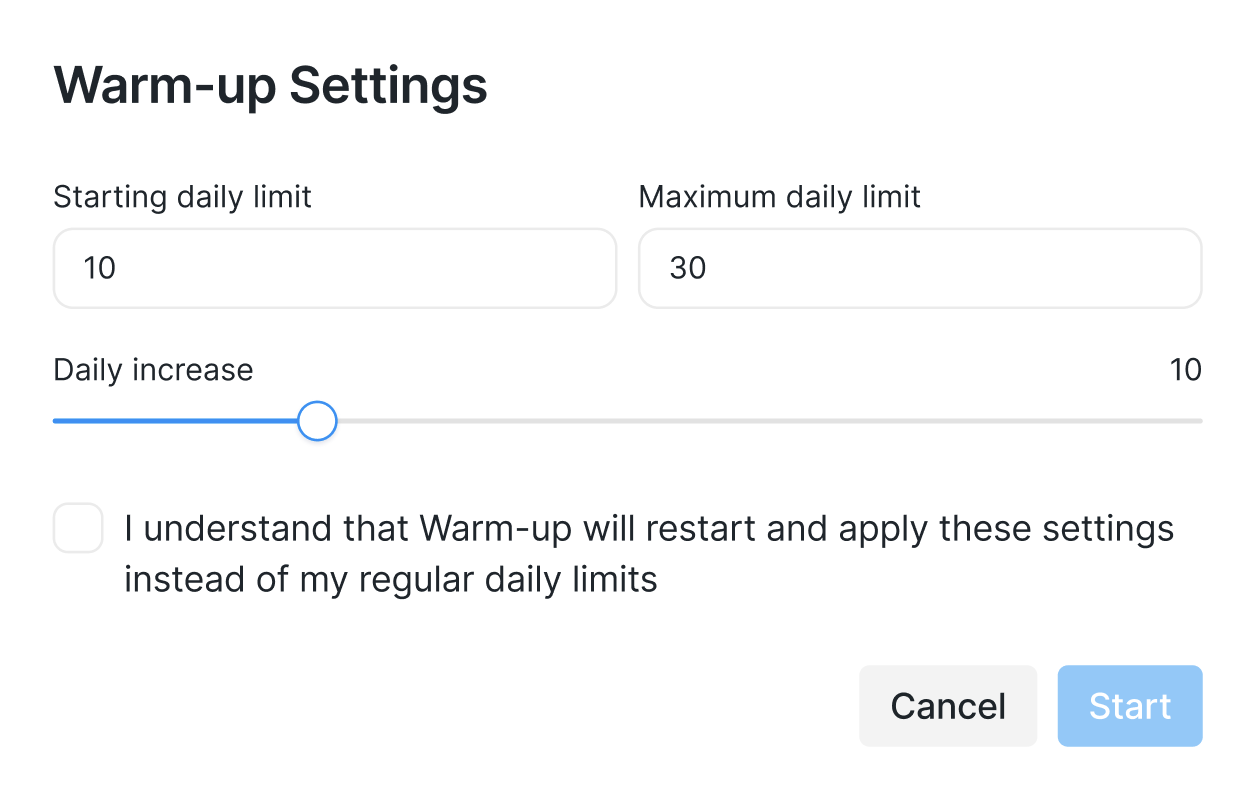
When the Warm-up mode is active, it overrides your usual Limits per day settings.
Things to know
The warm-up counter doesn't pause if outreach is limited
If your Social Account's outreach is limited by the Social Platform, the warm-up counter continues running in the background. When the restriction is lifted, the system will attempt to send the volume it would have reached had there been no interruption — which can cause a sudden spike in activity that may put your account at further risk.
If your account gets limited, review your Warm-up settings to make sure that you're keeping your outreach within natural limits.
Re-confirming settings resets the progression
If you open the Warm-up settings and click Confirm — even without changing any values — the system treats this as a fresh update and restarts the ramp-up from the minimum value. This may cause a temporary dip or inconsistency in your daily activity as the progression begins again from the starting point.
The same applies every time you turn Warm-up mode on or off. As a best practice, keep Warm-up mode enabled. Once your Social Account is fully warmed up, Buzz will automatically start applying your Daily Limits instead of the warm-up limits.