Account Location, Blacklist, and Pending Connections Management
Last updated: April 1, 2026
Beyond campaigns and limits, Buzz gives you advanced controls for timing, targeting, and connection hygiene. These settings ensure your outreach stays relevant, compliant, and well-organized.
This article covers Account Location, Blacklist, and Pending Connections.
Account Location
In Account Location, you can manage:
Time zone
System operating hours
Proxy configuration
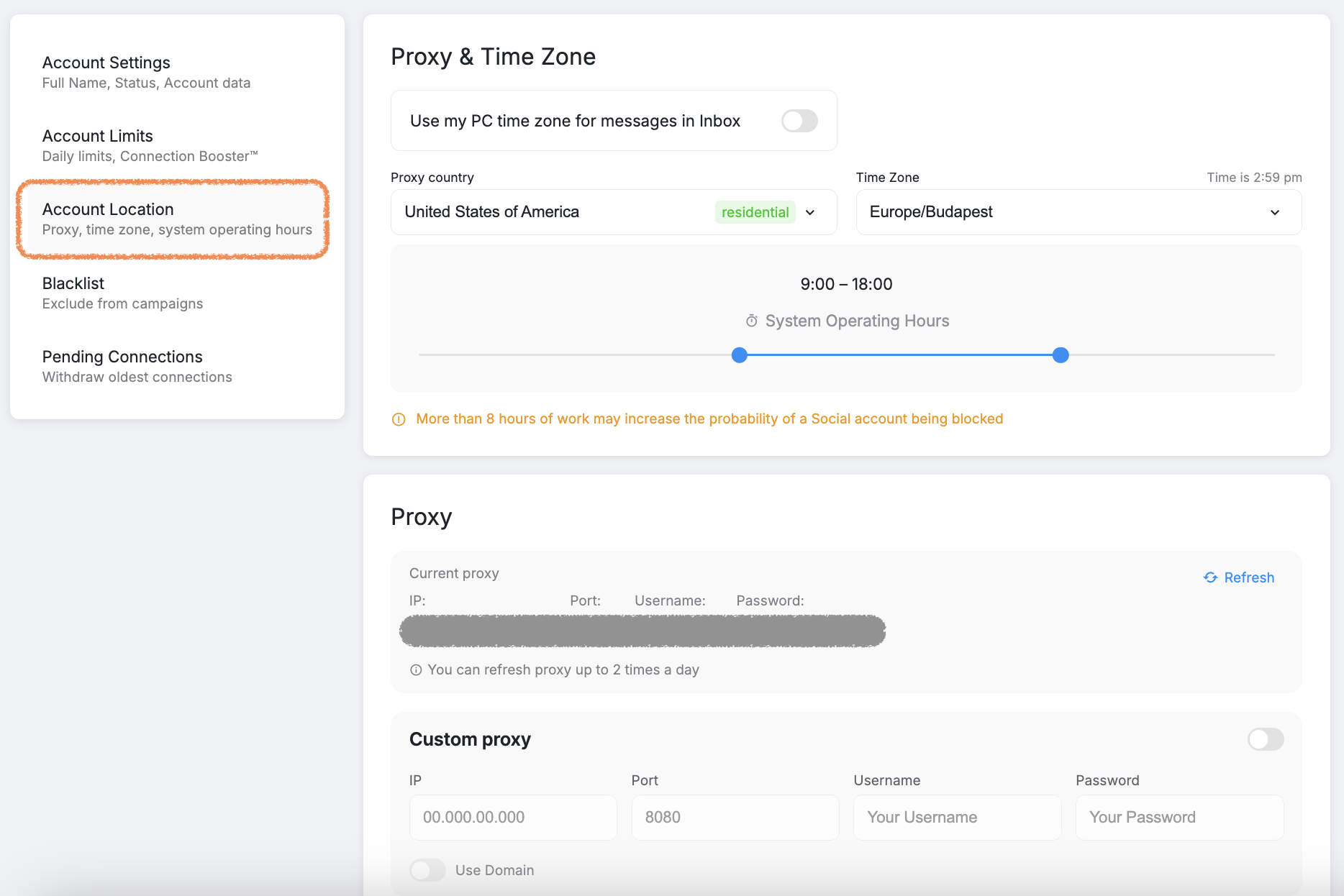
You can select a proxy country from the list or set a custom proxy to match your requirements.
Blacklist Settings
The Blacklist feature lets you exclude specific keywords from campaign searches. This helps prevent irrelevant or duplicate profiles from entering your campaigns.
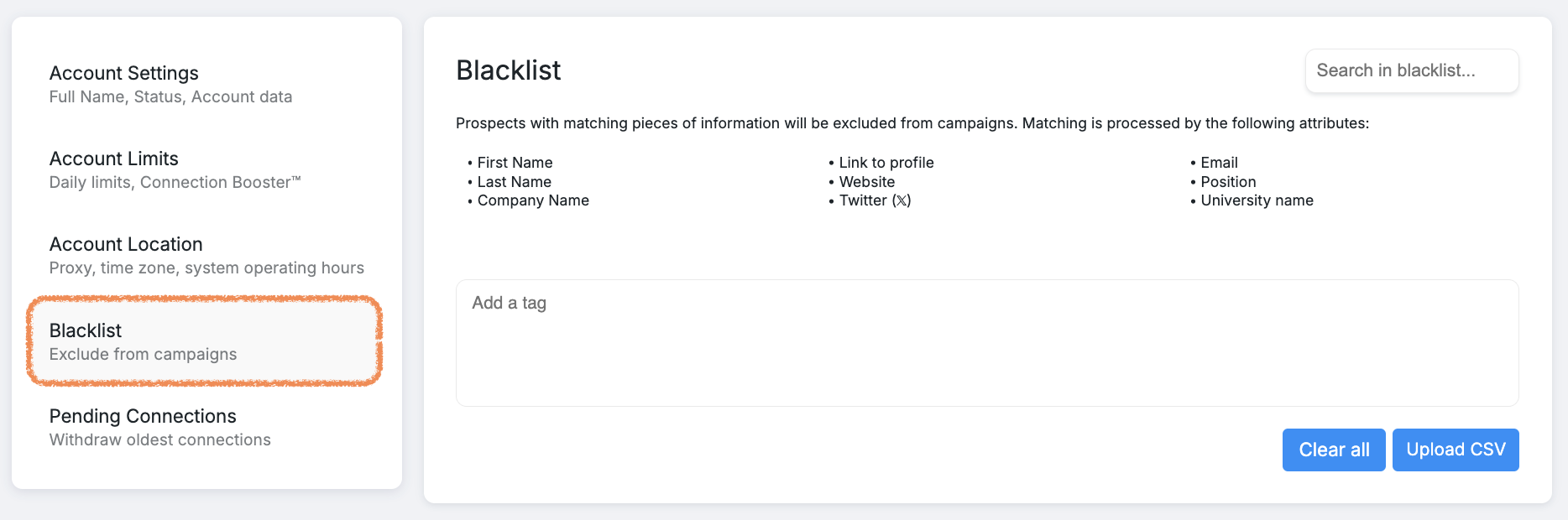
You can:
Enter keywords manually
Upload a CSV file
Buzz applies these exclusions automatically based on supported profile attributes.
For advanced use cases — including profile deduplication — refer to the dedicated Blacklist guide.
Pending Connections
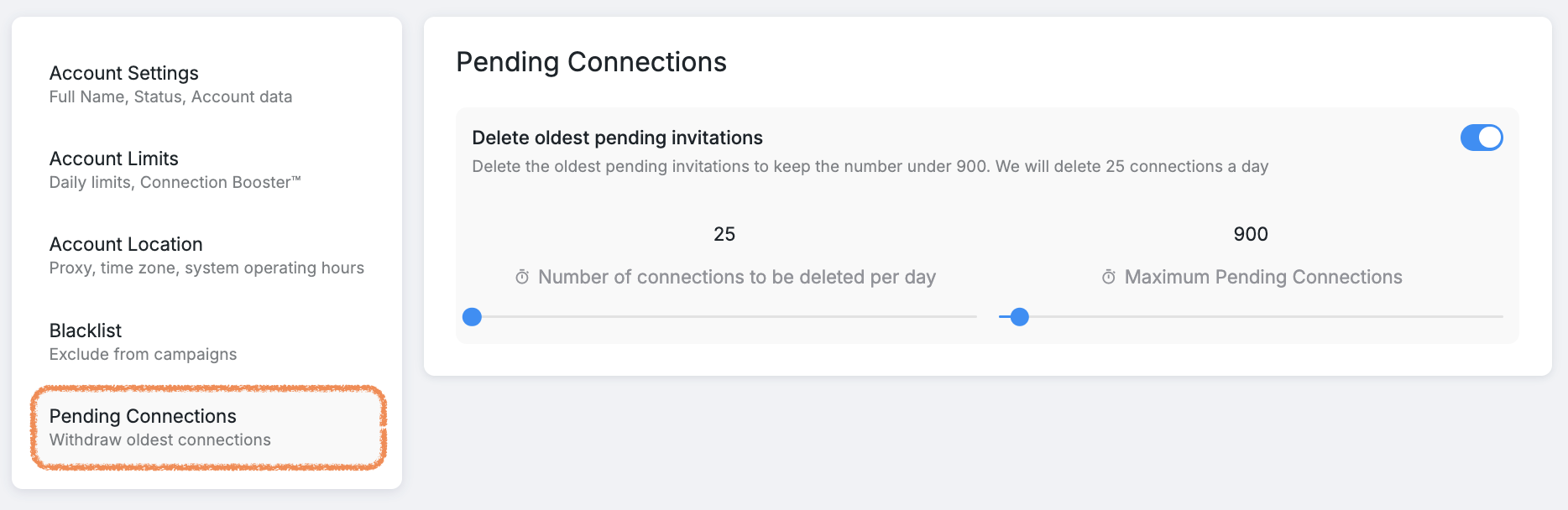
In Pending Connections, you can:
Set how many of the oldest pending requests should be removed
Limit the total number of pending connections
When a request is withdrawn, the prospect moves to the NEW section with the notification Connect with this profile was withdrawn.
🔁 Connection requests can be resent three weeks after the original withdrawal date.
These advanced settings help you stay in control as your outreach scales. By managing timing, exclusions, and connection cleanup, you ensure Buzz runs cleanly and efficiently behind the scenes.