How to Upgrade Your Subscription in Buzz
Last updated: October 8, 2026
Heads up: this update is for self-serve customers only. If you're on a contract with Buzz, your terms and available platform functionality stay exactly as they are, and you can review our full cancellation terms here.
Need more seats, credits, or simply want to unlock more of what Buzz has to offer? Upgrading your plan only takes a few clicks. Here’s how to find the right plan and customize it to fit your needs.
1. Go to your Billing overview
Head to Billing → Overview.
Here, you’ll find all the essential information about your current subscription, including your next renewal date, payment method, current plan, and more.
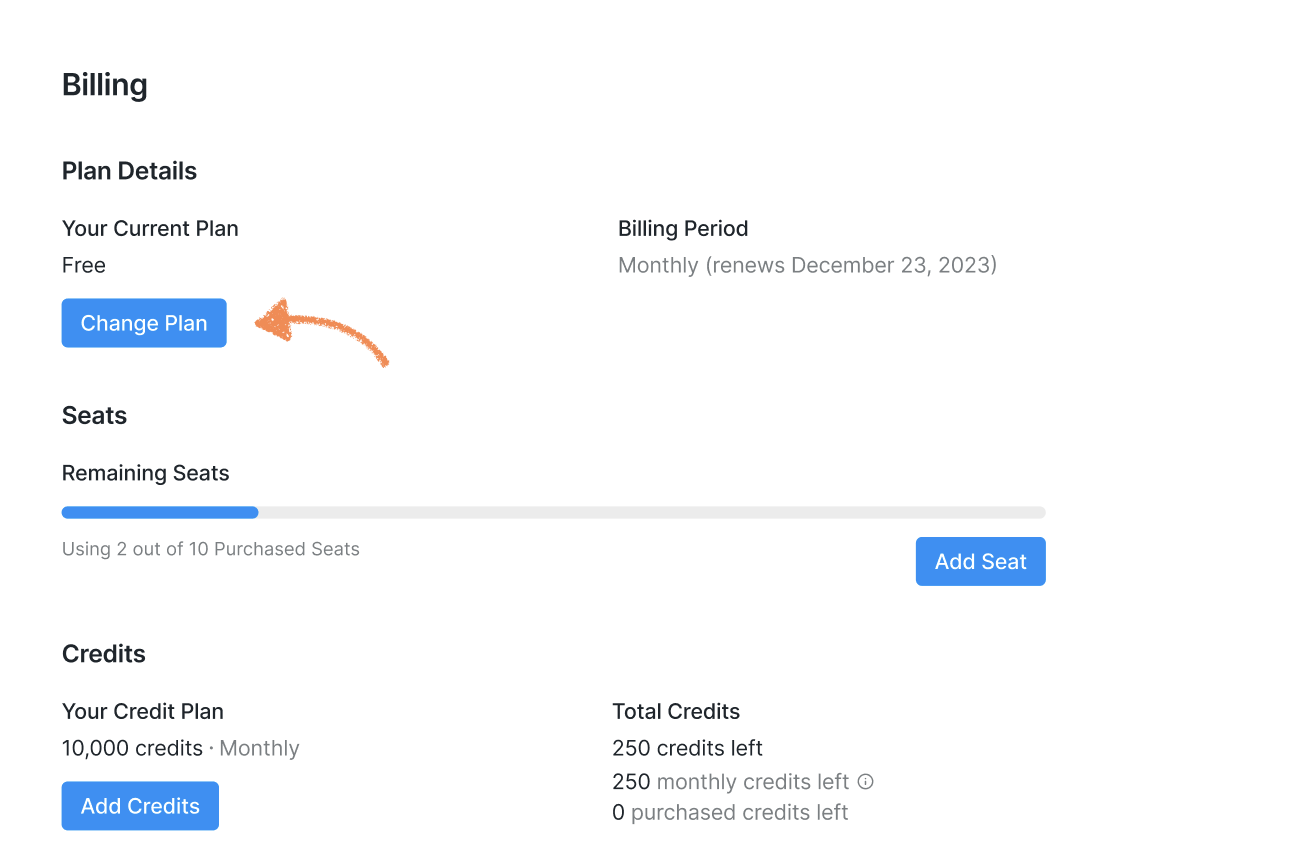
When you’re ready to upgrade, click the blue Change Plan button.
2. Choose your new plan
You’ll be taken to a plan comparison table, where you can see the plans currently available and compare what’s included in each one.
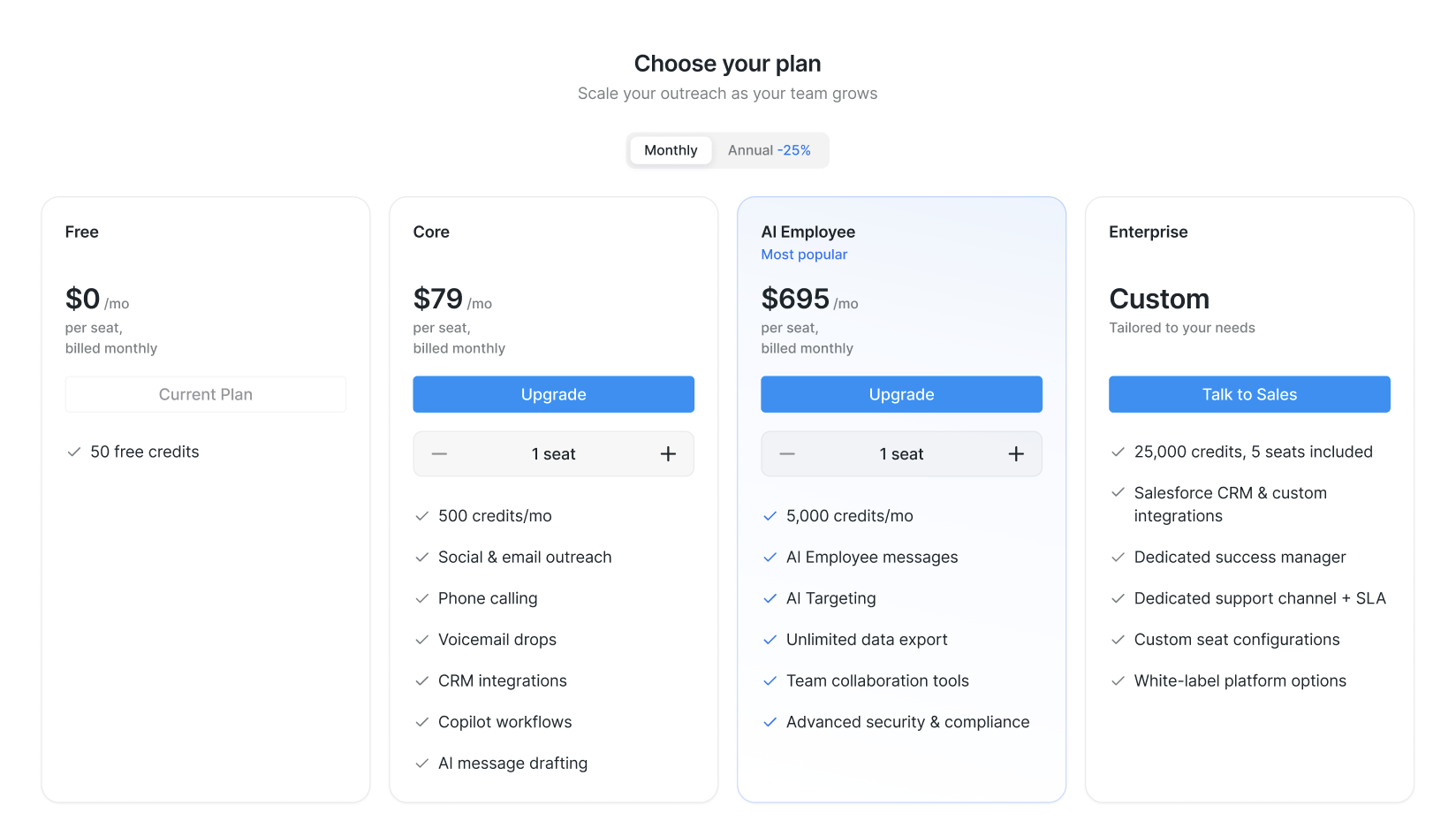
Take a look, find the plan that works best for you, and click Upgrade to continue.
3. Customize your plan
Before confirming your upgrade, you’ll be able to customize your new plan.
Here’s what you can adjust:
Billing frequency: Choose whether you’d like to pay monthly or annually. Keep in mind that the monthly equivalent price may differ depending on which billing frequency you choose.
Number of seats: Select how many seats you need. Each seat represents a Social Account you can connect.
Extra credits: Need a little more room for your campaigns? Use the slider to add extra credits to your package. The cost of the additional credits will be added to your total.
Upgrade timing: Choose whether you want your new plan to take effect immediately or on your next billing date.
A note about immediate upgrades
If you choose Immediately, you’ll be charged a prorated amount for the remainder of your current billing cycle.
In other words, you’ll pay the difference needed to cover the rest of your current cycle at the upgraded plan price, rather than being charged the full new subscription price right away.
Once everything looks good, review your selections and confirm the upgrade, and you’re all set! 🎉
Ready for more?
Whether you need additional seats, more credits, or access to a higher-tier plan, upgrading in Buzz is quick and flexible. Just head to Billing → Overview whenever you’re ready to make a change.