Webhook Triggers: “When Prospect Replies” VS “When a Message Is Received From Prospect”
Last updated: January 16, 2026
When setting up webhooks or Zapier automations for prospect interactions, you may notice two triggers that sound very similar:
When Prospect Replies
When a message is received from prospect
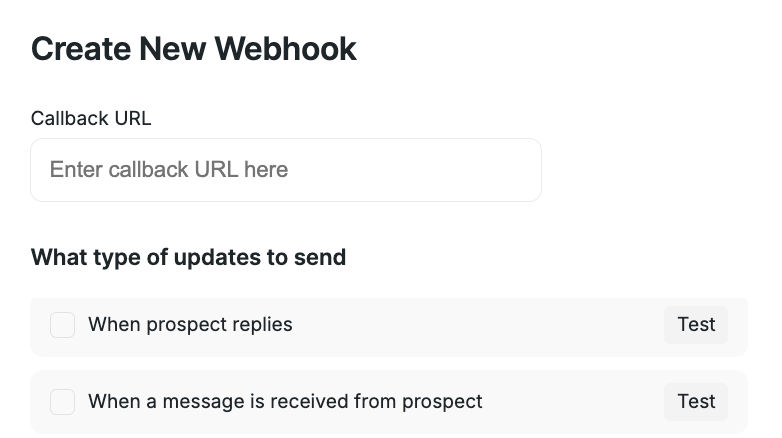
While they’re closely related, they behave differently. Choosing the right one ensures your automation fires at the right moment — and only when you want it to.
What's the Difference?
The key difference between these two triggers is how often they fire and when in the conversation they activate.
🟢 When Prospect Replies
This trigger activates only once — the very first time a prospect replies to your outreach.
Fires when the prospect’s status changes to Replied
Triggers only on the first reply
Does not trigger again for future messages from the same prospect
Best used for:
Creating deals or contacts in a CRM
Alerting a sales rep that a prospect has engaged
Stopping automated follow-ups
Logging the first reply as a conversion event
🟢 When a Message Is Received From Prospect
This trigger activates every time a prospect sends a message.
Fires on the first reply and all follow-up messages
Triggers for every incoming message in the conversation
Continues firing as long as the prospect keeps replying
Best used for:
Syncing conversations to a CRM or help desk
Triggering real-time notifications
Running conversation-level workflows
Logging every message for reporting or analysis
Which Trigger Should You Use?
Choose When Prospect Replies if you only need to act on the first sign of engagement.
Choose When a message is received from prospect if your automation needs to respond to every message throughout the conversation.
If you’re unsure which trigger fits your workflow, start with When Prospect Replies for simple engagement tracking, and switch to When a message is received from prospect for more advanced, conversation-based automations.
If you need help setting this up, our Customer Support team is happy to assist.