Dialer Numbers Billing: Member Guide
Last updated: May 13, 2026
This guide explains how Dialer Number billing works and what you can do as a Workspace Member.
What Are Dialer Numbers?
Dialer Numbers are the phone numbers your workspace uses to make and receive calls through the Buzz Dialer. Each number has two pricing components:
Installation Fee — a one-time charge at the time of purchase.
Monthly (or Yearly) Fee — a recurring charge on each billing date.
Both are charged upfront when a number is purchased. From the next billing date onward, only the recurring fee applies.
What You Can Do
By default, Workspace Members cannot purchase or renew Dialer Numbers. Your Workspace Admin can grant you those rights.
If you have been given purchase rights, you can:
Buy new Dialer Numbers
Renew existing numbers
Note: Purchase rights do not include the ability to delete numbers.
Only Workspace Admins and above can delete Dialer Numbers.
Buying Numbers
When purchasing a number, you are charged two fees upfront:
Installation Fee — a one-time charge for setting up the number.
First period's recurring fee — covers the first billing cycle (monthly or annual, matching your workspace subscription).
Numbers appear in the interface only after payment is successfully processed.
Billing Date
Each number's billing date is tied to the date it was purchased. Numbers bought on different dates will have separate billing dates.
Billing Cycle
Your Dialer Numbers renew on the same cycle as your workspace's main subscription:
Monthly subscription: numbers renew monthly.
Annual subscription: numbers renew annually.
Note: All Dialer Number charges are non-refundable.
If a Payment Fails
If payment fails at the time of purchase, you will see an error message with the reason. You can:
Remove some numbers from the order (if you selected more than one)
Retry the payment
Switch to a different saved payment method (if paying in USD)
Close the order
When paying in USD, the full order is charged to one payment method.
You cannot split an order across multiple cards.
Manage your payment methods in the Stripe Customer Portal.
When Numbers Are Unpaid
If your workspace's renewal payment fails, all outgoing and incoming calls are disabled.
If numbers remain unpaid for 28 days, they will be permanently deleted.
You will receive a reminder email after 7 days if no payment retry has been made.
Contact your Workspace Admin to resolve the payment.
Retrying Payment (if you have purchase rights)
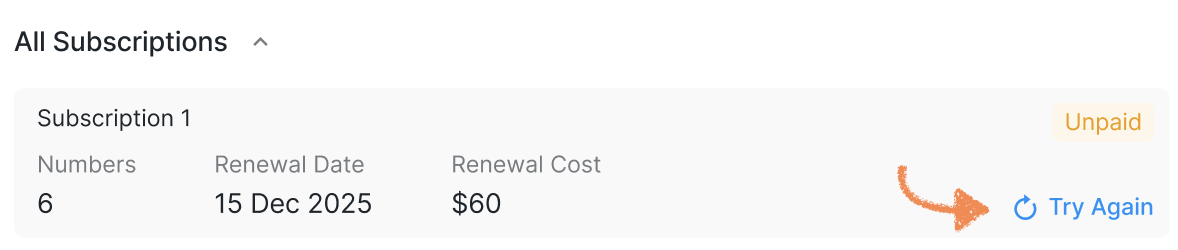
If you have purchase rights, you can manually trigger a retry from the Billing tab. Clicking the retry button opens the payment window where you can confirm or change the payment method:
Viewing Billing Information
In Billing > Add-ons > Dialer Numbers, you can see all active Dialer Number subscriptions for your workspace, including:
Total number of Dialer Numbers being paid for
Total amount per billing cycle (monthly or annual)
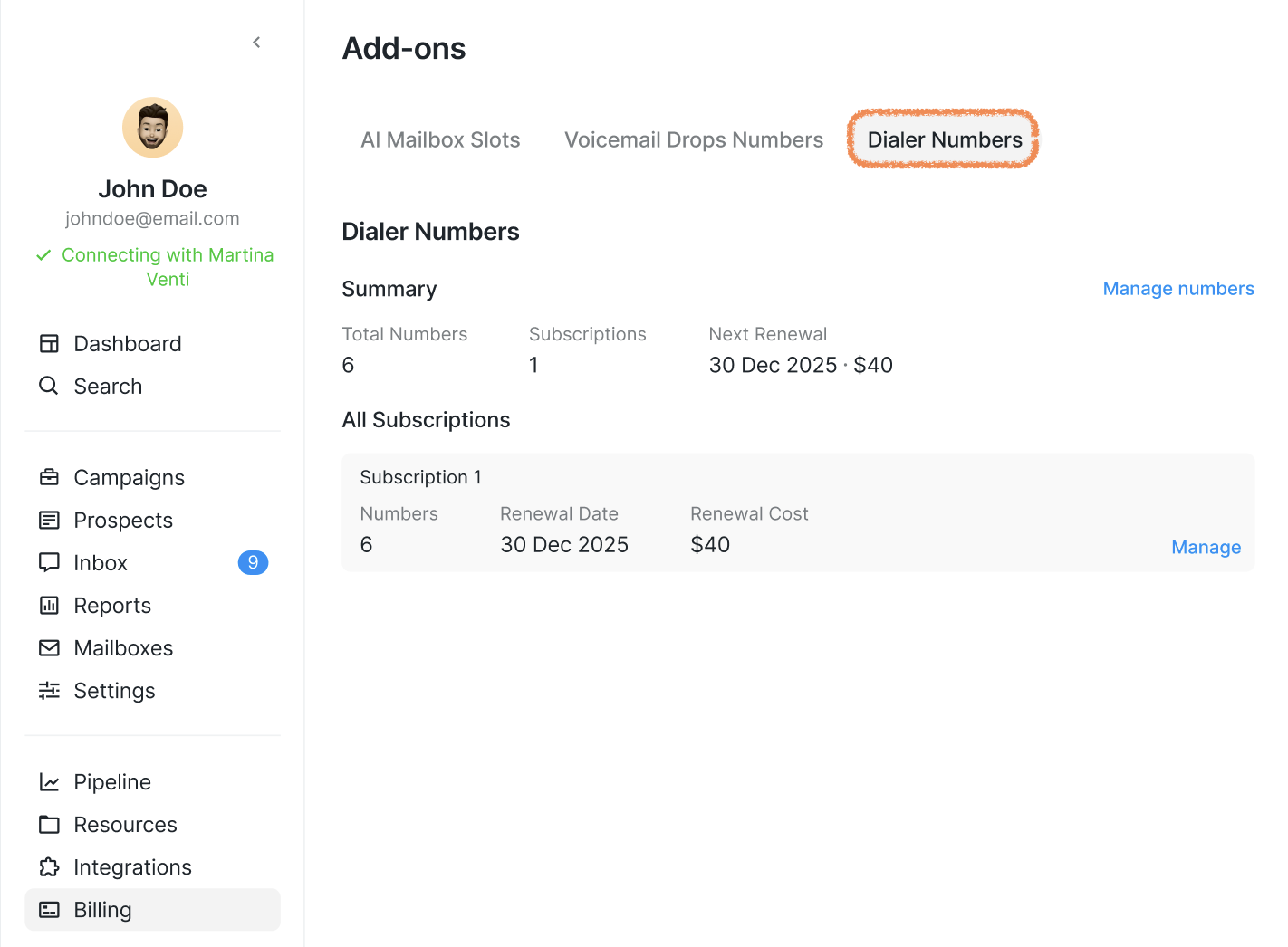
Click Manage on any subscription to see the specific numbers it includes, the subscription total, and the next payment date.
Credits Billing
If your workspace is set to pay with credits instead of USD, all purchases and renewals are deducted from your credit balance. You can find these transactions in Billing > Credits History under:
Dialer Numbers Purchase — for initial purchases
Dialer Numbers Renewal — for recurring renewals
Payment Failure Error Reference
Here are the error messages you may see and what they mean: