Using Web Visitors in Campaigns & Viewing Prospects
Last updated: April 10, 2026
This feature is currently unavailable.
When creating a new campaign, you can use Web Visitors as a search type. This allows Buzz to automatically pull in prospects collected by your trackers and include them in campaign outreach.
To do this:
Create a new campaign.
Add a new Search.
Select Web Visitors as the search type.
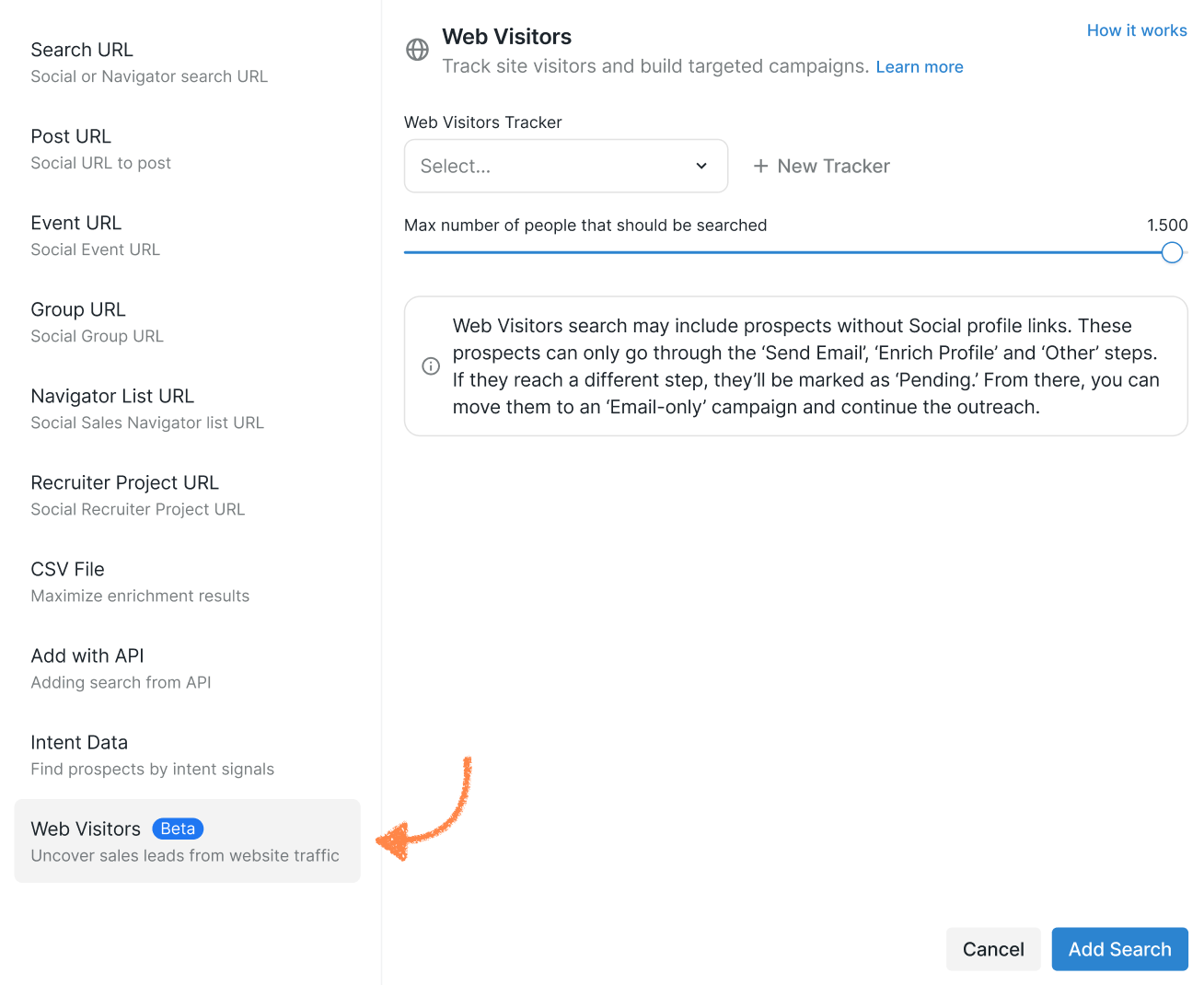
Choose one or more active trackers from the dropdown.
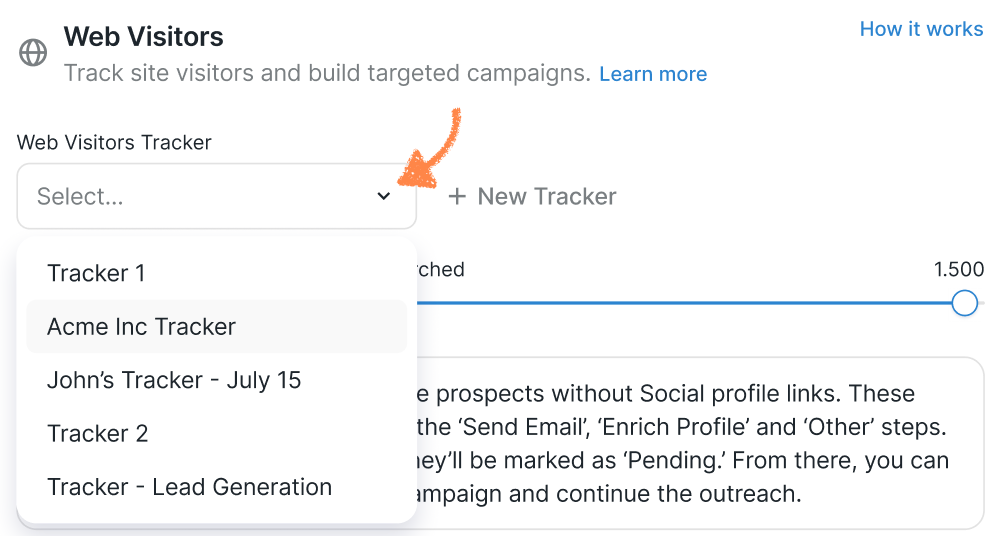
Buzz will automatically include prospects collected by those trackers.
Important Campaign Notes
Some prospects may not have social profile links.
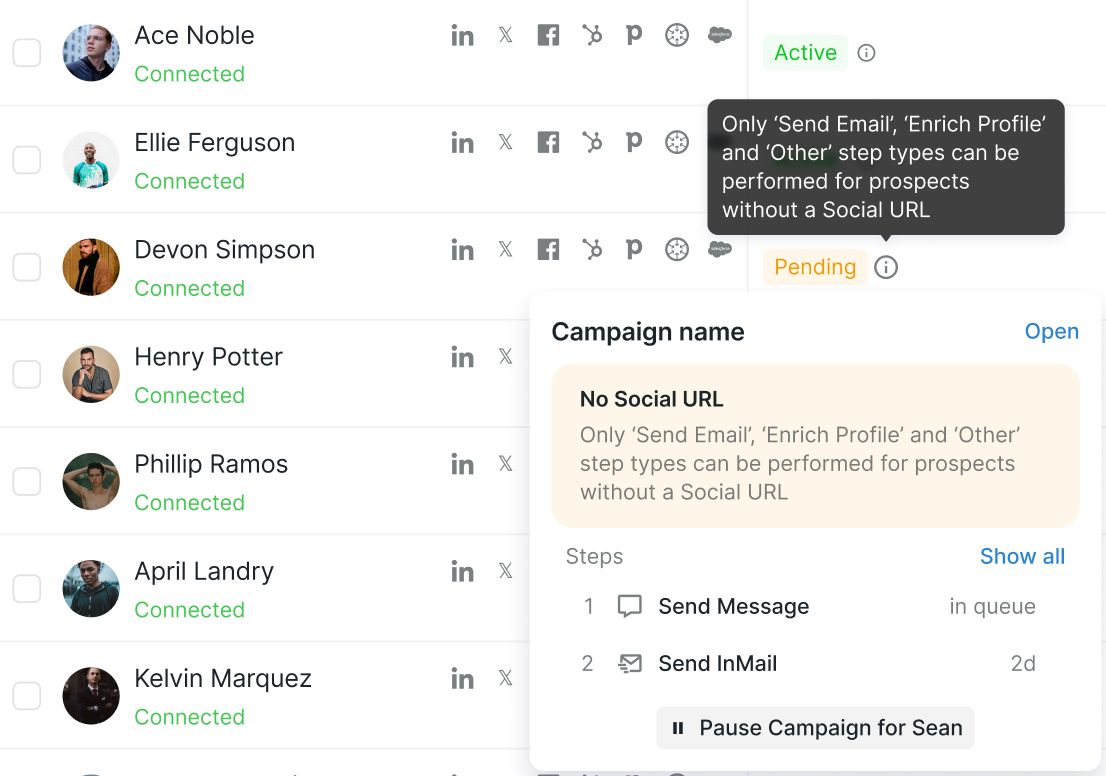
For these prospects, only non-social steps (such as Send Email, Enrich Profile, or steps from the Other category) will run.
If a prospect reaches a social step without a profile link, they’ll be moved to Pending.
From there, you can manually add them to an email-only campaign.
💡 If you use the same Web Visitors tracker across multiple campaigns, Buzz will evenly distribute prospects between them.
Only new, previously unengaged visitors will be added to a campaign after you select a tracker as a search type.
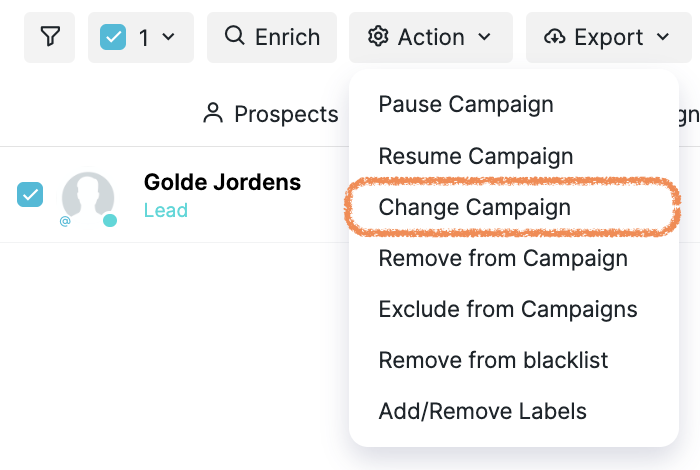
If a tracker was active before being added to a campaign, previously collected prospects won’t be added automatically. You can manually add them by clicking Action > Change Campaign.
Viewing All Web Visitors Prospects
To see every prospect collected by your trackers: Prospects > Web Visitors
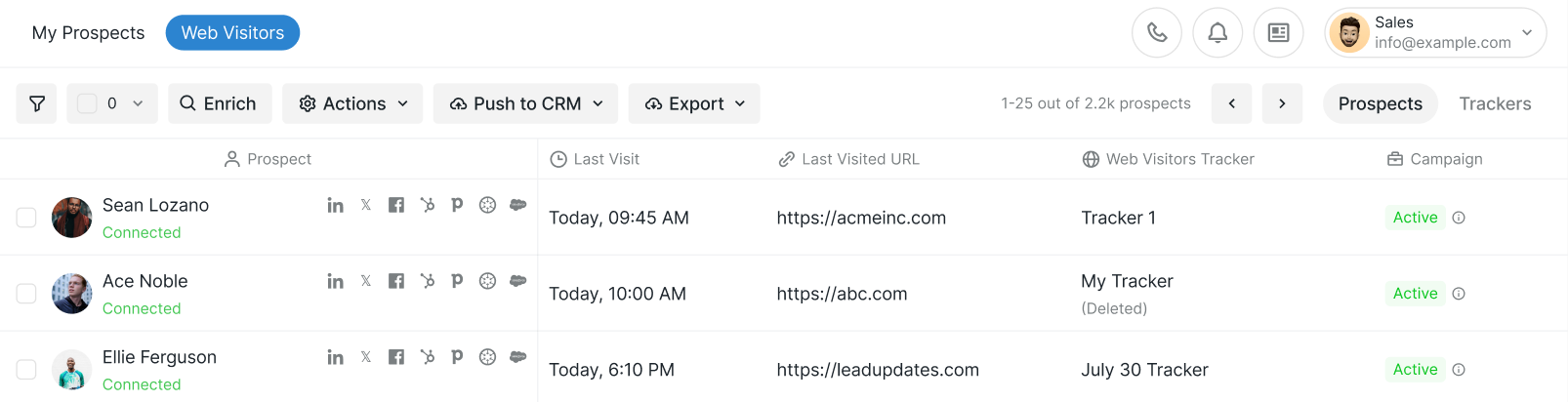
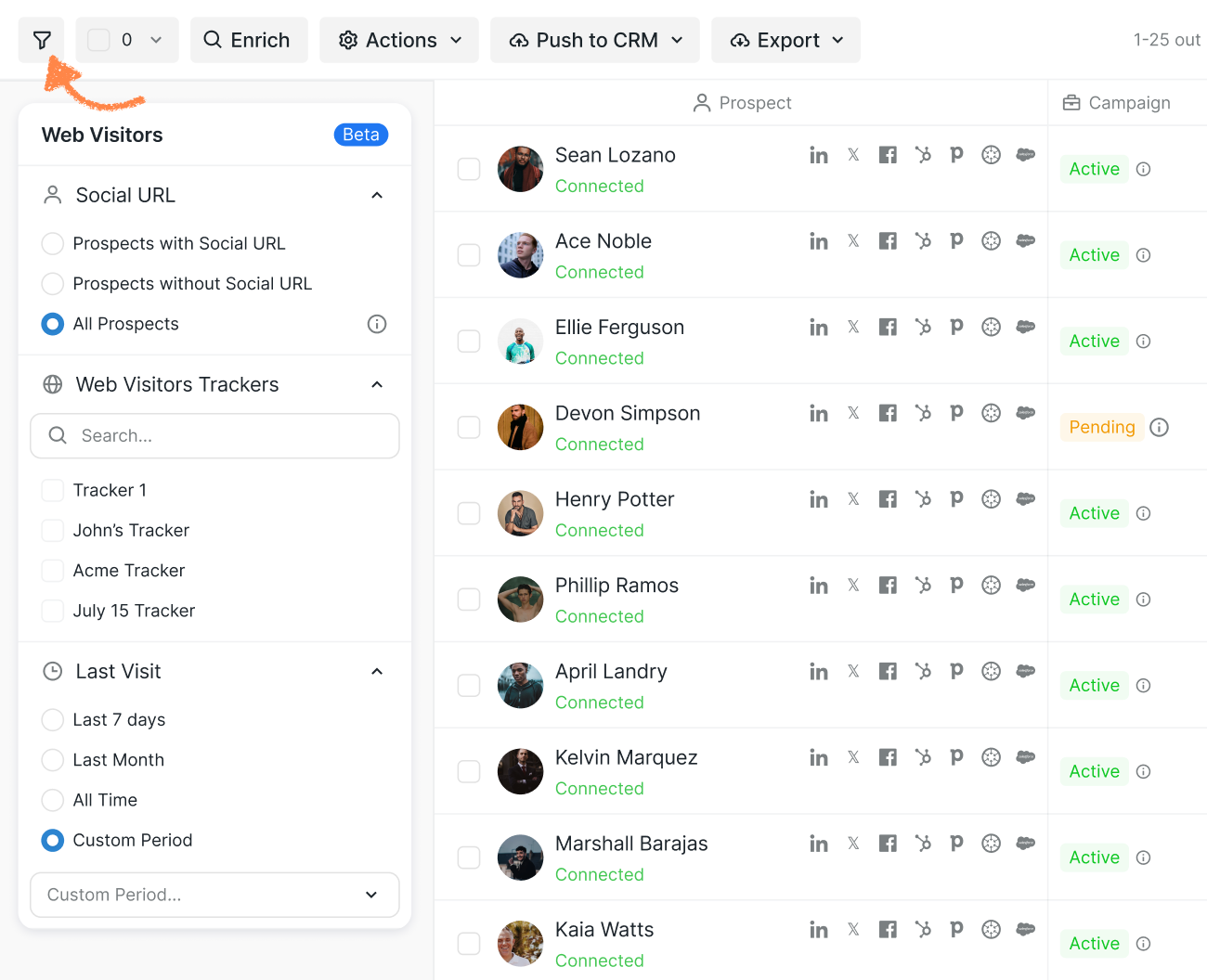
From here, you can filter prospects by:
Whether they have a social profile URL
Tracker name
Time period of their website visit
Click the filter icon to customize your view:
Viewing Individual Visitor Activity
You can also see visit details for individual prospects:
Open a prospect’s info card and check the Activity tab. Look for a Web Visitors event showing a site visit.
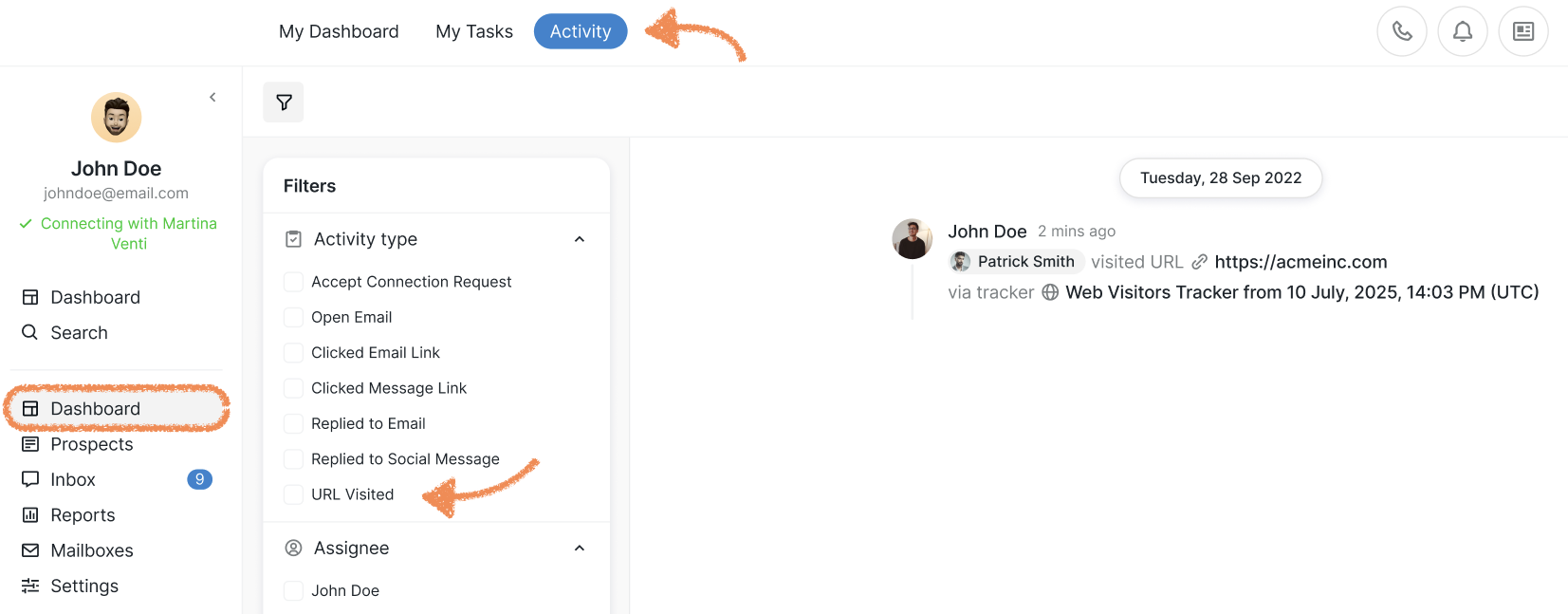
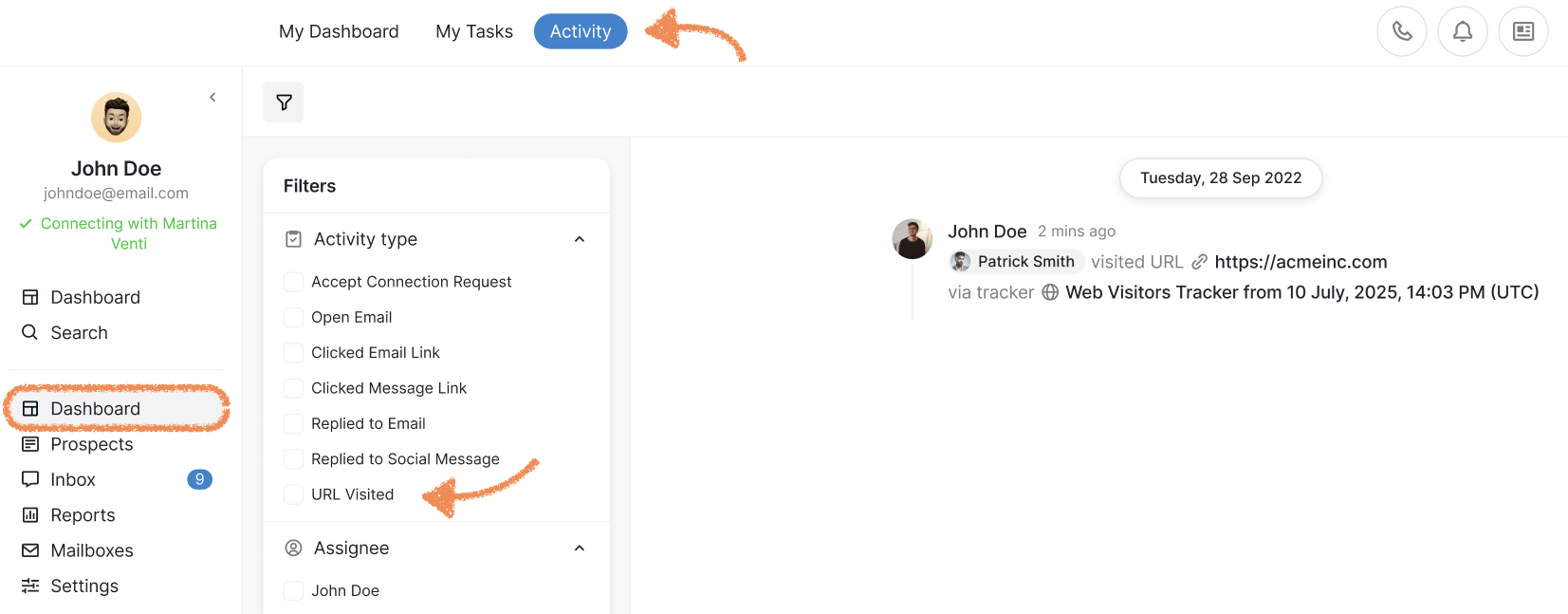
Or filter activity from your dashboard: Dashboard > Activity > Filters > URL Visited:
Web Visitors helps you identify potential leads, understand visitor behavior, and turn website traffic into meaningful business opportunities — all within Buzz. It’s easy to set up, simple to manage, and powerful when paired with campaigns.
If you run into any issues while setting up or using Web Visitors, please don’t hesitate to reach out to our Customer Support team. We’re happy to help!